

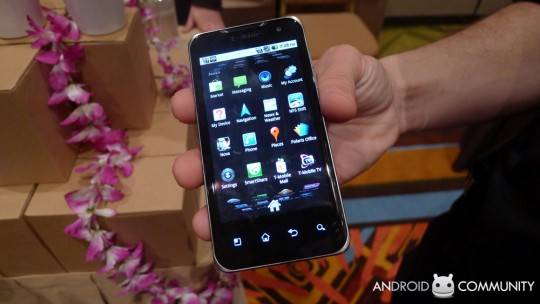
One thing that has been missing from the Android platform has been a fairly simply method to do screen captures. With the iPhone, for example, users only need to hold down the sleep button while clicking the hold button. Do it right and you’re taking a picture of your screen. That function has been missing from the Android platform and LG has decided to do something about it with the Optimus and G2X.
Before LG did something about it, users had to usually root their phone and install a third party screen capture app. Or connect to USB and jump through a few . But now, all users need to do with the LG is to hold down the power/sleep button and then the home button, much like the iPhone. Users can then see the screen capture in a special folder named for it. Nice and easy.
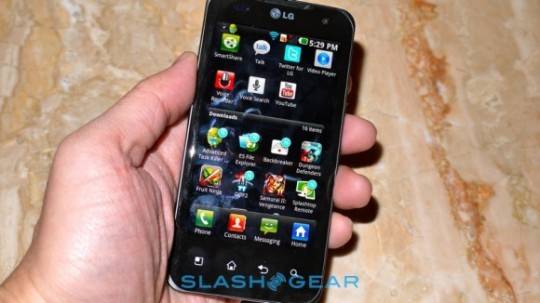
In addition to screen capture, there’s a lot to like about these two cool phones. For the LG Optimus 2X, for instance, it’s 8 Megpixel rear facing camera has a burst mode – it takes 6 consecutive pictures. That’s really nice for action shots and can come in handy with overactive kids. It also has 1080p support for playback. A good phone for someone looking for it to do double duty capturing those Kodak moments. Check out our full walk through and hands on here.
Then there’s the LG G2X, which not only has one of the highest resolution cameras going, but also 8 gigs of RAM, a 1 Ghz Dual Core Tegra 2 processor, 4G support, and 1080p video recording with DIVX support. It’s a pure Google experience, running Android 2.2 (Froyo) with no overlays, which is always a good thing. Another cool feature is it’s DTS Ultra Mobile audio technology for a surround sound experience. This phone is loaded. Check out our hands on here.
[via Engadget]








Asus beat them to it on the Asus Transformer – the first time I had seen screen capture on an unrooted Android Device. It’s missing from the Xoom and Acer A500 so it’s a custom Asus add-on. You enable it in the the screen settings option and then all you do is hold down the Honeycomb “History” button for a second and your screencap is done – it goes into a directory named “Screenshots” with the filename having the prefix “P” followed by the date and time of the cap. The files are saved as in .png format.
screen capture is already there in galaxy s and galaxy tablet
How do I screen capture from the facinate?
Pardon my ignorance but where is the ‘hold button’ described in this article?
This is old news fory lg p920 3d phone. i found out by mistake when using it some 8 months ago
10x , You really helped me
thanks dude ^^ i feel like wanna hug u LOL
how can i capture screen with the lg l3