


If you’ve encountered an Android app you wanted to have on your PC, then we’ve got some encouraging news for you. The folks over at Socketeq have released a piece of software they’re appropriately calling WindowsAndroid. The biggest draw of WindowsAndroid is that it runs Android natively on your Windows machine, meaning that there’s no need for emulation.
This, in turn, means a number of happy things, most importantly faster speeds. The reason there’s no emulation needed is because WindowsAndroid runs on the Windows kernel, instead of the Linux kernel. You’ll be working with Android 4.0.3 with this version of WindowsAndroid, so don’t expect to be rocking Jelly Bean on your machine just yet.
At this point, WindowsAndroid should play nicely with Windows Vista, Windows 7, and Windows 8, so if you’re using any of those versions, there’s a pretty good chance you can start running Android on your machine. You’ll have support for a mouse and keyboard with WindowsAndroid, so no worries there, while those of you with a new touchscreen Windows 8 computer should find that touch controls work as well. Obviously, since this is an early release, don’t be surprised if you encounter a few bugs and crashes as you’re using it.
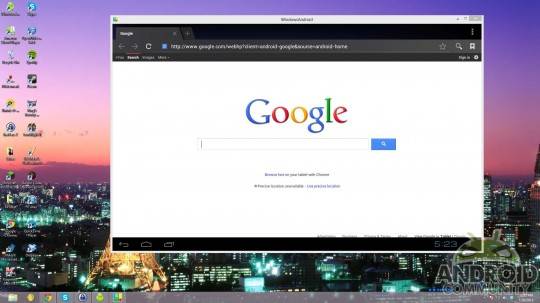
Normally, you’d be able to download WindowsAndroid from Socketeq’s website, but at the moment, the site is understandably experiencing some heavy loads. Socketeq has posted a number of mirror links in a Reddit thread about WindowsAndroid, so checking those certainly isn’t a bad idea. You’ll also want to snag a copy of Gapps if you want to play around with Google‘s Android apps. As always, download and install this at your own risk, and Android Community can’t be held responsible if something goes haywire with your computer. Are you going to give WindowsAndroid a spin?
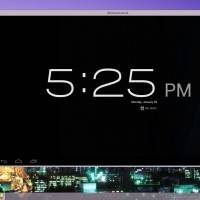
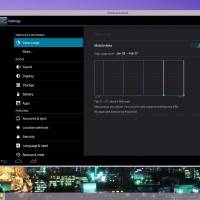
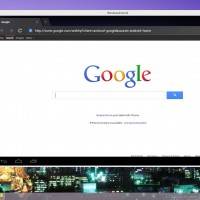
[via Android Police]








Nice…
anyone know how to install the gapps package for this ? lol its definitely not like flashing a phone
crashed the dev’s site
i unzipped it and put the stuff from the system folder into C:SocketeQwindowsandroid_rootsystem
But only a few apps in app store, and mostly payed ones.
Check this link to reddit…there is a lot of info.
http://www.reddit.com/r/Android/comments/1773hv/android_403_ported_to_windows_78_natively/c82u7it
Have fun
Perry
what about users of Windows XP ?
Get with the times.
Installed on win7 but not even strting with the following error:
C:>android.exe
OSALSockMap::init: sock_map=0x003A0000
start /SocketeQ/windowsandroid_root//system/bin/plogd … 7352
C:>start /SocketeQ/windowsandroid_root//system/bin/socketbinder … 9816
add (socketbinder, 0) to sockmap ok
start /SocketeQ/windowsandroid_root//system/bin/servicemanager … 1372
[ on init ]
[ on boot ]
[ service netd ]
[ service vold ]
[ service surfaceflinger ]
[ service ril-daemon ]
[ service zygote ]
[ service media ]
[ service drm ]
[ service installd ]
reference-ril requires: -p or -d /dev/tty_device
android-start was killed
app_process was killed
servicemanager was killed
socketbinder was killed
mediaserver was killed
surfaceflinger was killed
instld was killed
no process ‘alogd’ was killed
plogd was killed
netd was killed
vold was killed
no process ‘bootanimation’ was killed
rild was killed
no process ‘drmserver’ was killed
——————
Any suggestion?
Thanks, m.dalvecchio@gmail.com
I have this too 🙁