


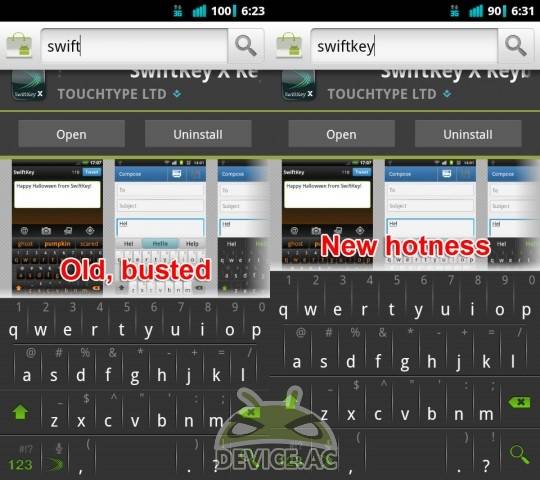
The popular third party keyboard for Android SwiftKey X has just received another excellent update today and just like recent updates they’ve brought plenty of improvements and new features — not to mention even more languages support. Available in the market right now is version 2.2 and although we got our first look at the beta last week and tested the new features, today it’s finally available for all and we have the full changelog.
For all the information on this newest version you can see our coverage and hands-on of the Alpha version here, and the beta release last week right here. SwiftKey X may be an editors choice on the Android Market and the fastest selling 3rd party keyboard but that isn’t stopping them from making even more improvements to make this the best typing experience around. Here is a list of what to expect with v2.2 available today.
— Full language localization for major European languages
— Typing support extended to 35 languages, including Arabic and Hebrew
— New multi-touch framework for faster typing
— Prediction/correction boosted by faster, more efficient Fluency engine
— Full support for Android 4.0 operating system (Ice Cream Sandwich)
— UX enhancements, including better settings menu, alternative character selection and sharing features
Obviously having more language options is a big update for the thousands of users that weren’t supported before the update. One of the biggest parts of this update is multi-touch support, and the option to re-size the keyboard height in portrait and landscape both. They’ve added additional enhanced support for more screen sizes such as the many 7″ tablets available, as well as full Android 4.0 support and 1280 x 720p resolutions like the Galaxy Nexus.
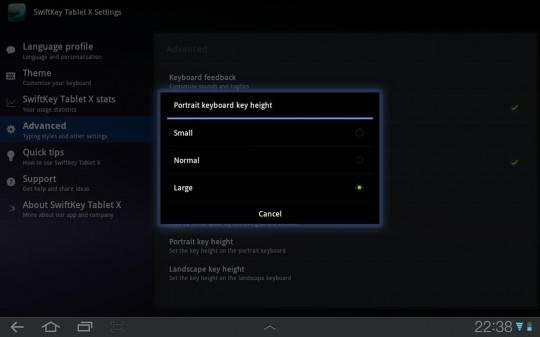
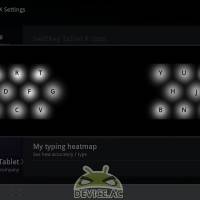
We have plenty of pictures in the gallery below for those considering the purchase but I have a few quick screenshots of the re-sizable keyboard as I’m sure many want to see how that works. The change isn’t huge but for the many different screen sizes and resolution in Android this is actually an awesome feature that will enable any user on any device to get the size that feels right for them.
This is as simple as selecting the option in settings. Some might want a completely customizable option but for now we have small, normal and large but overall its worked well for my 10″ tablet since I wanted it a bit smaller, and my 7″ tab that I felt could use a bigger size.
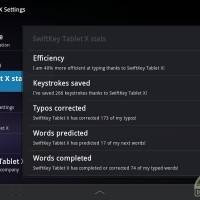
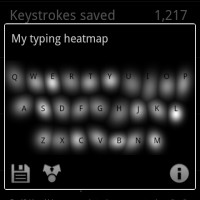
Aside from all the languages, heatmapping, keystrokes saved and more that you get from SwiftKey X they’ve also improved how fast the text prediction works. Some users might not notice right away but someone like me using SwiftKey since the beginning I can tell a huge difference. We also have multitouch support which works great on both phones and tablets. Being able to toggle the CAPS lock tab or numbers by just holding down, tapping what you want and letting go is just one more reason SwifyKey X makes typing quick, fluid and easy.
Don’t take my word for it. Give the latest and greatest a try by downloading it today in the Android Market. They have a free version too but I’d spring for the works and enjoy everything SwiftKey has to offer.
SwiftKey X Keyboard
SwiftKet X Tablet











Really great keyboard, been using it for a while and this newest version is quite good. The problem is that I also have the ICS keyboard on my Sensation and I like that one too lol.