

• Home
  • Reviews
  • Featured
  • Archives
  • Videos
  • Devices
  • Tegra
  • Send Tips
  • Contact
  • AndroidCommunity on Twitter AndroidCommunity on Facebook AndroidCommunity on Google+ AndroidCommunity RSS Feed

Android Community

    • MUST READ

      STORIES

    • Apple claiming Google Now infringes on Siri patents

      May 22, 2013

    • Kyocera Hydro XTRM and EDGE hands-on

      May 22, 2013

    • Verizon Wireless partners with Jennifer Lopez for Viva Movil

      May 22, 2013

  • Trending Topics
  • Jelly Bean
  • NVIDIA
  • Galaxy S 4
  • HTC One
  • Nexus 7
  • Sell Your Used Phone

Screencast for Android updated, record right off your screen now with Audio

0
  • By Cory Gunther
  • on 14 Oct, 2011

Screencast for Android updated, record right off your screen now with Audio

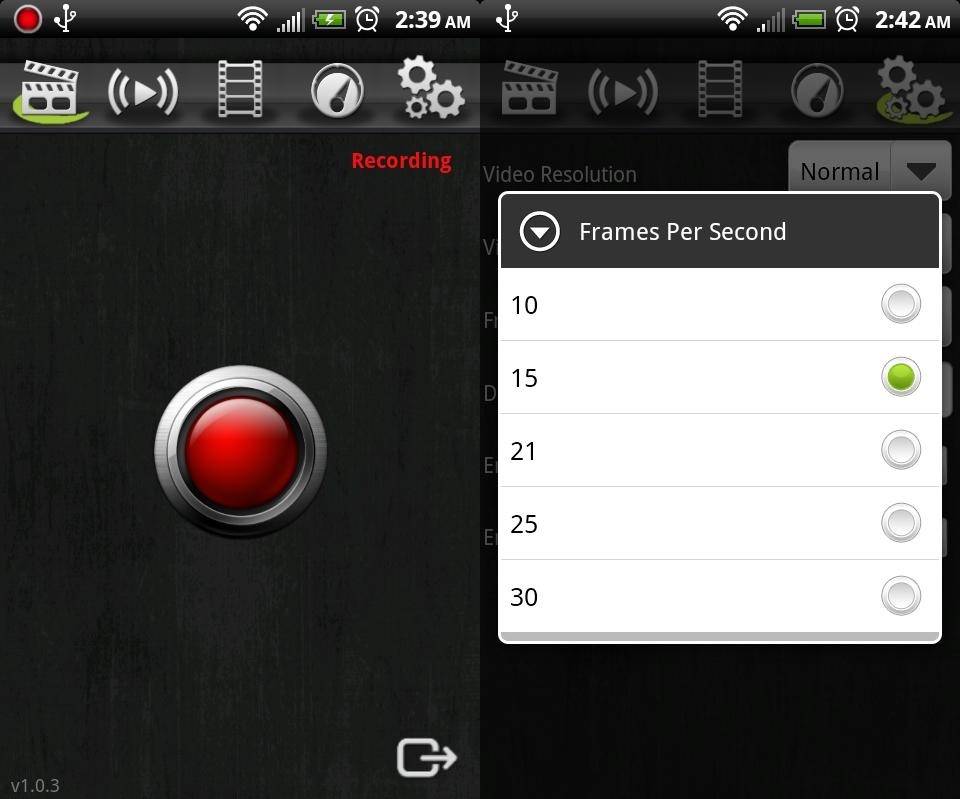
Surely this isn’t the first time we’ve mentioned this app. It is one thing to take a screenshot of what is being displayed on your Android device, but being able to record full video in perfect quality as you flip through homescreens, demo a new game or anything else your heart desires is what we have here. We recently posted a review of Screencast and screen recorder and our only complaint was we didn’t have audio, that all changes today as they’ve just updated and have introduced audio recording to the application.

Obviously this application will require you to be rooted, but essentially you can record everything you do on your phone right from this application with full 25 fps and high resolution quality. Then play it back and share it with whoever you’d like. We ran it a few times during our initial review and demo linked to above and while it was a bit laggy at times and occasionally had a graphics glitch, the latest updates have fixed all that. Developers can use this to demo their newest game and post the video preview in the market and more, the possibilities with this application are up to you. Now we can record video and explain things as you go or capture the game and applications audio making this an all in one solution. Check out our early video demo below:

ScreenCast screen recording demo (no audio)

The developers of ScreenCast seem to be very actively updating this app and we only expect more great things to come. Many users requested being able to also record audio and today’s update brought just that — a toggle for audio recording at the same time and it works great and sounds perfect, no hissing or buzzing. The next update according to developers is the option to stream your video live as you record, that would be awesome. We wont get into too many details as you can see more in our review. For now head down to the Android market and give this a try by clicking here.


Share
  • Student wins science fair with 30-second phone battery charger
  • Samsung Galaxy Note 3 with Android 4.3 spotted in benchmark results
  • Verizon HTC One reality returns as DROID DNA offer pops up

Tags: applicationsmarketrootRootedscreenshotvideo recording

  • Search

  • REVIEWS

    • AT&T LG Optimus G Pro ReviewAT&T LG Optimus G Pro Review
    • Iron Man 3 game Review: what you need to knowIron Man 3 game Review: what you need to know
    • Samsung GALAXY S 4 ReviewSamsung GALAXY S 4 Review
    • Samsung Galaxy Note 8.0 ReviewSamsung Galaxy Note 8.0 Review
    • Pebble review: Two weeks with a smartwatchPebble review: Two weeks with a smartwatch
  • HANDS-ON & QUICK LOOKS

    • Kyocera Hydro XTRM and EDGE hands-onKyocera Hydro XTRM and EDGE hands-on
    • Opera for Android exits beta, we go hands onOpera for Android exits beta, we go hands on
    • NVIDIA Tegra 4i demos i500 LTE modem on Cat 4: 150Mbps of speedNVIDIA Tegra 4i demos i500 LTE modem on Cat 4: 150Mbps of speed


  • T-Mobile G1 Accessories
  • RECENT COMMENTS

  • About
  • Contact
  • Terms of Use
  • Privacy Policy
  • Advertise

Copyright 2013 Android Community





