

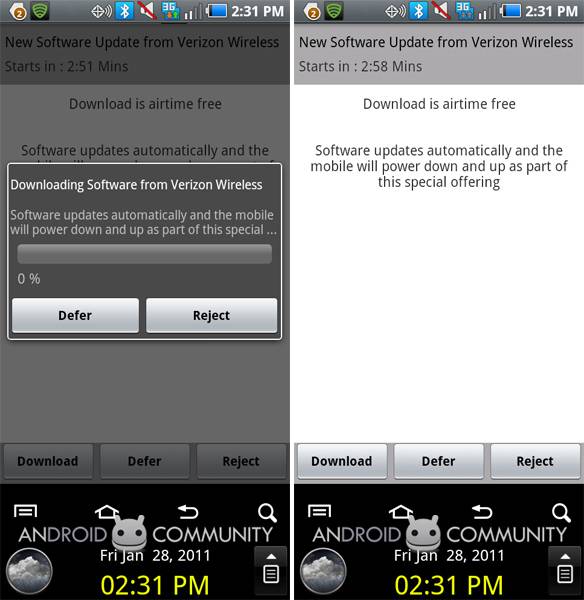
Today Verizon is pushing an over the air update to owners of the Samsung Continuum (you know the one, two screens, looks like a long wafer cookie,) which, amongst other things, will install V CAST Apps to the phone. We’ve been reminded specifically that V CAST Apps allows carrier billing, so customers purchasing applications through this Verizon store will will see those charges on their monthly bill. For a full list of changes, check the list below.
Here’s the big fat list:
• Reply/Forward Visual Voice Mail audio files as attachments
• Improved Visual Voice Mail functionality
• Press the camera button no longer launches the Messenger Application
• All received picture messages properly display the embedded image
• Added ability to delete a threaded message while in the body of the thread
• Alert appears when a message of 150+ characters sends as an MMS message
• When using V CAST Music, the audio track will auto-pause if you select a V CAST or native video to start
• Added multiple email messages to be deleted from POP3 accounts
• Contact time displays correctly in the notification bar when a text message is received
• Successfully hide all declined events on Facebook application
• Improved voice dialing response time when connected to a Bluetooth headset or car kit
• “Locate Me” GPS feature in the WeatherBug widget now works correctly.
• Properly display Daylight Savings Time in WeatherBug application
• Completely delete RSS history
• Avoid device transitioning into a no service state when it should not have
• Device will not force close when setting a wallpaper
• VCAST Apps are now available
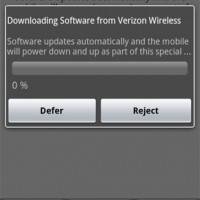
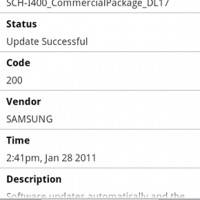
To install this update on your Samsung Continuum, you’ve only to go to your home screen, hit your MENU button (this is the one that looks like a table with two books under it, all the way to the left, between your two screens,) then proceed to hit SETTINGS, ABOUT PHONE, SYSTEM UPDATES, and find and click CHECK NEW. From there, you’ll have pretty obvious prompts, and be SURE you’re not in a rush to do this update, as it can take upwards of 10 minutes to complete. Take a peek at the screenshots in the gallery below to see what you should be seeing. Also check out this fancy PDF if you’re interested in Verizon’s official word.

For further reading on the Samsung Continuum, take a peek at our big fat review, then take a peek at the source code as released by Samsung. Two screens for sweet updates from Android Community while you’re playing Dungeon Defenders!








it says mine is up to date but i got it in august and haven’t updated it once… help!