

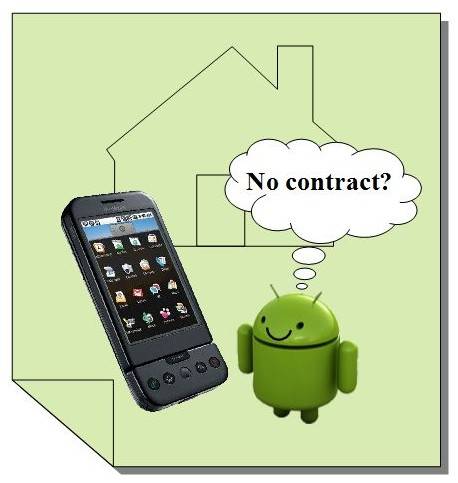
T-Mobile has been turning several people away who are trying to purchase a G1 without signing a 2 year contract. T-Mobile stores have been instructed not to sell the G1 without at least getting a data plan contract signed because of the projected demand for the phone. Many people have approached us who would like to purchase a G1 without a contract, but T-Mobile simply would not sell it to them.
The guys over at Love For Biz were able to convince a T-Mobile store in their area to sell them one after sales were not so good for the area. They report that there is no need for a store activation, the phone can be activated from home if you wish. The hard part is persuading a T-Mobile employee to sell one to you without a contract. Here are the steps to activating a T-Mobile G1 without first having an activated SIM card. (Note you will need to borrow and activated SIM card for only a few minutes.)
1. Insert friends activated T-mobile SIM into G1 along with battery
2. Power on and wait for setup screen
3. Go through setup process to link any Gmail account
4. Go to Settings > Wireless Controls > Wi-Fi Settings > Enable Wi-Fi
5. Connect to nearby Wi-Fi network if one is available
6. Optional: Stop the phone from syncing with Gmail account by going to Data Synchronization and unchecking Auto-sync, Gmail, Calendar, and Contacts
7. Once done, take out friends SIM card and insert unactivated SIM that came with G1
You may also use a prepaid T-Mobile SIM card to activate the G1. We do not see T-Mobile taking any measures to prevent this process as customers are paying the full price for the phone. Another thing to note, if you would ever like to change the Gmail account that was used to setup the G1 a soft reset is required and the process must be followed again.
Photo courtesy of Android Community member heyitsnan.
[Via Love For Biz]








thanks
If you have an existing prepaid plan with t-mobile, and can access the unlimited web service for 24 hrs option ($1.49/day) with your existing phone, add that to your account, then put your sim card in the G1 phone then go through the google setup process, etc and you should be all set. (BTW, I love t-mobile, very affordable in all respects. The fact they offer unlimited web for 1.49/day is fantastic, don’t think you’ll see anything like that from other providers!)
this could be a temporary problem or your SIM card may not be provisioned for data service try again when you are connected .
every time I am getting this information please help me.
i am getting the samething bro
After go the the wireless settings there is no option for wifi on or offf , so how could i active my gmail account… ? please help.
HI,i got this phone from my friend,but every time i try to create an account,they say cant establish a reliable data connection to server and yet the internet bars show that i have internet on top right corner.and again what is t-mobile activated sim because i have an MTN sim with activated data..please help.
[…] to sell no G1 without a two-year contract and data plan. So how do you get this puppy on prepaid? Android Community gives us a little insight. The first, and most difficult, part of this procedure is to find a store […]