

• Home
  • Reviews
  • Featured
  • Archives
  • Videos
  • Devices
  • Tegra
  • Send Tips
  • Contact
  • AndroidCommunity on Twitter AndroidCommunity on Facebook AndroidCommunity on Google+ AndroidCommunity RSS Feed

Android Community

    • MUST READ

      STORIES

    • Android 4.3 leaks on video with new camera UI

      May 24, 2013

    • HTC One ‘Senseless Edition’ could arrive this summer

      May 23, 2013

    • Verizon HTC One reality returns as DROID DNA offer pops up

      May 20, 2013

  • Trending Topics
  • Jelly Bean
  • NVIDIA
  • Galaxy S 4
  • HTC One
  • Nexus 7
  • Sell Your Used Phone

Ford Sync AppLink available now for 2011 Fiesta owners

0
  • By Shane McGlaun
  • on 22 Dec, 2010

Ford Sync AppLink available now for 2011 Fiesta owners

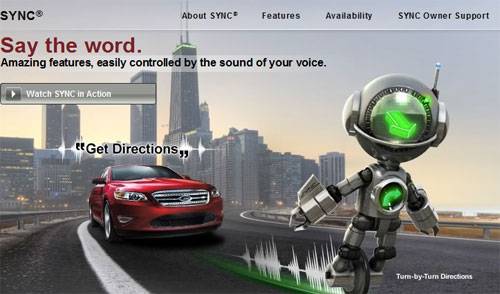
If you drive a 2011 Ford Fiesta and use an Android smartphone, you need to grab a new update for the Ford Sync system that is now available. The new update allows you to control apps on your Android smartphone using your voice.

To download the app you need to log in at Syncmyride and get the new update from the Update and customize section. If you have never updated Sync before there may be more than one update you need to add before you get the new AppLink feature. Once downloaded the install is made using a flash drive and the USB port in the car.

The first of the Sync-enabled apps for the new update include Pandora and Stitcher (landing in 2011). The apps need Android 1.5.3 or higher to operate with AppLink. Once the update is installed, the user can hit the voice button in the car, say “mobile applications” and then the name of the app to launch. In Pandora, for instance, the user can then use voice commands to play tracks like “Play station classic rock radio” and the driver can bookmark songs and rate them using their voice as well.


Share
  • New Nexus 7 reportedly shipping now, launching next month
  • Verizon HTC One "will be announced later"
  • HTC One with a larger 5-inch display coming soon

Tags: AppsfordSync

  • Search

  • REVIEWS

    • AT&T LG Optimus G Pro ReviewAT&T LG Optimus G Pro Review
    • Iron Man 3 game Review: what you need to knowIron Man 3 game Review: what you need to know
    • Samsung GALAXY S 4 ReviewSamsung GALAXY S 4 Review
    • Samsung Galaxy Note 8.0 ReviewSamsung Galaxy Note 8.0 Review
    • Pebble review: Two weeks with a smartwatchPebble review: Two weeks with a smartwatch
  • HANDS-ON & QUICK LOOKS

    • Coolpad Quattro II 4G and 8920 hands-onCoolpad Quattro II 4G and 8920 hands-on
    • Kyocera Hydro XTRM and EDGE hands-onKyocera Hydro XTRM and EDGE hands-on
    • Opera for Android exits beta, we go hands onOpera for Android exits beta, we go hands on


  • T-Mobile G1 Accessories
  • RECENT COMMENTS

  • About
  • Contact
  • Terms of Use
  • Privacy Policy
  • Advertise

Copyright 2013 Android Community





