

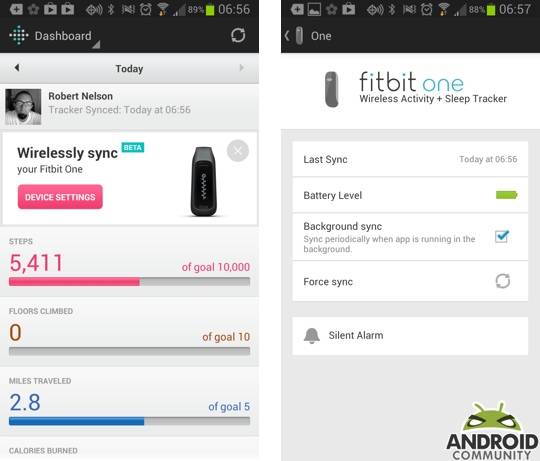
Fitbit announced details about wireless sync on Android back in January and since then — we have been anxiously waiting for the update to arrive. Simply put, the latest Fitbit for Android app update has added just that. The wireless syncing is noted as being in beta and only available for select devices. The supported device list includes the Galaxy S III and the Galaxy Note II.
Like we said, select devices. Needless to say, as a Fitbit user with a Galaxy S III, I was anxious to cut out the need to sync with a computer and have the syncing moved directly to the device. First things first though, this Fitbit for Android app update brings the version number up to 1.5 and it can be found in the Google Play Store (download link). The big addition with this update is the wireless sync, but that is not the only new feature that has been added.
Touching on the wireless sync and we can say this — if you are an existing Fitbit user the set-up is quick and painless. In fact, after you update the app on your device you will see a new addition on your dashboard. The new addition is called “Wirelessly sync” and from here, simply click the pink “Device Settings” button. From that point you need to make sure the “Background sync” option is checked and things magically begin to work. This also means you can remove the USB dongle from your computer because you shouldn’t need that moving forward.
I updated my app and turned the background sync on a few hours earlier and while I cannot comment on long term battery hits, the app does seem to be working nicely. The fact that this is a beta did cause me some concern, however I have yet to see a crash or experience any other issues. I cannot say it will continue to work perfectly, however it seems safe and stable enough where I would suggest others are good to update. Touching on the syncing, this is done over Bluetooth, more specifically, Bluetooth 4.0 which should help in terms of battery life.
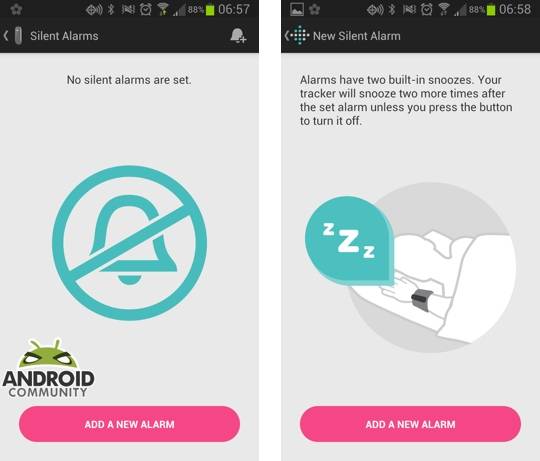
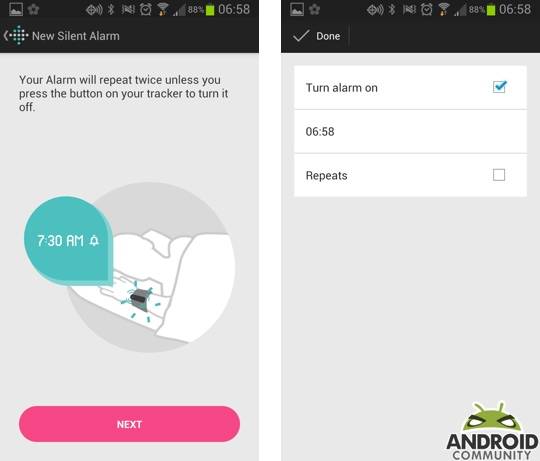
Otherwise, aside from the wireless sync, this update also added a push notifications setting in the app as well as a distance tile on the dashboard, the ability to create and edit silent alarms and support for the international food database. All said and done, this update should be good news for Fitbit users that happen to be carrying a Galaxy S III or Note II. As for other Android users, nothing specific was given however the Fitbit team has said that support for additional devices will be “available shortly.”







