

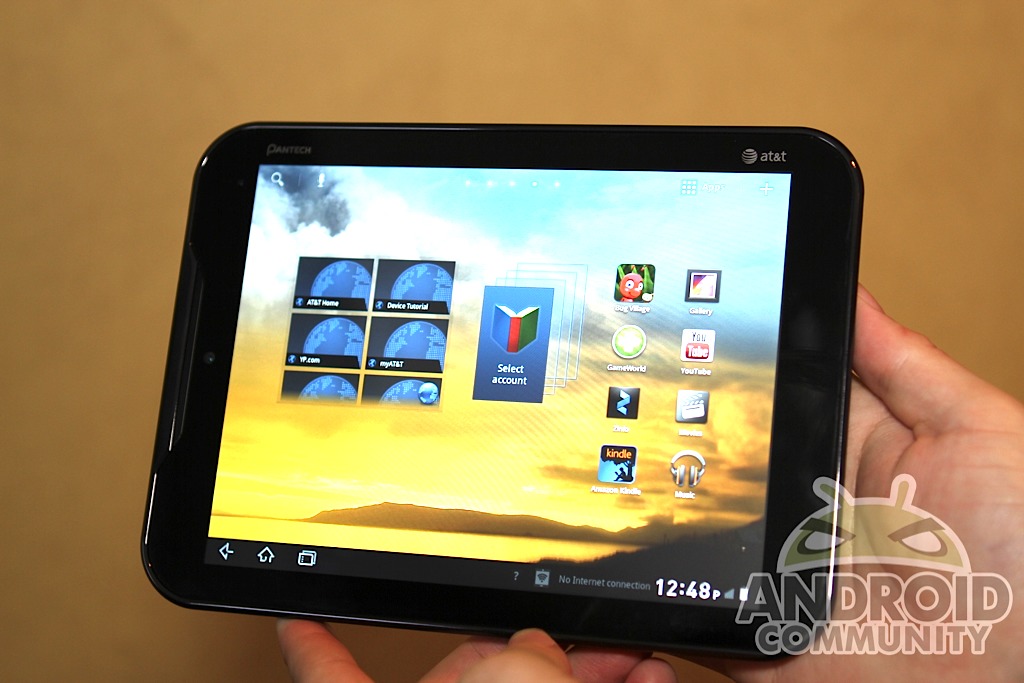
Do you own the AT&T 4G LTE powered Pantech Burst smartphone, or their Pantech Element 8-inch Android tablet? Chances are you might even own both considering they came in a package deal for $250 from AT&T. For those who happen to own either of these budget devices, the Android 4.0 Ice Cream Sandwich update is now available for your updating pleasure.
Originally the Pantech Burst smartphone was set to see the update to ICS back in late September but it was delayed a week or so. Today the folks from Pantech have confirmed the smartphone’s update is available right this minute over on their official website. For those that don’t know, the update to Android 4.0 Ice Cream Sandwich is worth every minute of your time. The update has to be manually done — but you’ll get a new user interface, much better performance across the board, enhanced camera features and much more.
That isn’t all either. Since the Burst came with a $50 discount (and sometimes bundled for free) with Pantech’s 8-inch waterproof tablet known as the Element — they’ve also issued the update for that tablet. That tablet has been running on the old and outdated Android 3.0 Honeycomb — but today you can also upgrade it to the awesomeness that is 4.0 ICS. Here’s what to expect:
New User Features
Enhanced Home screen canvas switcher edit functionality(In the preview of home screen panels, users can change a main home screen panel).
Enhanced Multitasking and Notifications functionality.
Enhanced User Interface : Virtual buttons in System bar, contextual options in Action Bar.
Improved text input and spell-checking (Android keyboard)
Control over Network data and Powerful web browsing
New! Self mode and Panorama capture mode in camera.
New! Time-Lapse recording function in video camera.UI Improvements
Improved user interface design with GL library.
Support for Native Sync of AT&T Address Book.
Improved lock screen.
Improved Quick Settings and Detail Settings.
Additional Improvement UI interfaces.
The Pantech Burst and Element certainly aren’t top end devices, but both come with powerful 1.2 and 1.5 GHz dual-core processors, and now are getting a much needed update. Gingerbread to Ice Cream Sandwich will give the Burst new life, while ICS for the Element will make the tablet that much better since it was still stuck on Honeycomb. For those that aren’t too familiar with this, you’ll want to check out our Android 4.0 Ice Cream Sandwich Review. Both devices will need to be updated manually using a Windows PC so that could be a problem. Get the updates from the links below and drop us a comment and let us know what you think, or if you have any problems. Enjoy!
Pantech Burst update
Pantech Element update
[via Android Police]








my element is not recognize and so it would not update
Hello:
I had the same issue. Go ahead and reboot your computer, uninstall the update wizard, restart again and install it again. After openeing the wizard, give it about 5 minutes to install the drivers for the element. It will take awhile. After that it will say connecting. If the “connecting” doesn’t go away after about 5 minutes, just close the program and reopen it. Now it should work.
i have a mac and its only for windows. what should i do. (i have a burst)
I just got my Burst 3 days ago and now i updated it to ICS. it’s like a new phone all over again!
My Pantech is not being recognized by my lap top .. can anyone help?
Doesn’t work!! I’ve been trying to download this all day. I’ve used the laptops with no success. It keeps saying my devices isn’t connected. From the sound of things from costumer service pantec didn’t have all the bugs fixed before launching this and 5 out of 10 techs have different methods of completing the update
Doesn’t work!! I’ve been trying to download this all day. I’ve used the laptops with no success. It keeps saying my devices isn’t connected. From the sound of things from costumer service pantec didn’t have all the bugs fixed before launching this and 5 out of 10 techs have different methods of completing the update
I still have 2.3.5 but its telling me I have the latest version. Wtf??!!
Some of my apps are not showing right. In the app section is see all of my apps but some show as the Android man with a small SD showing on the bottom right. Why??? Can any one help?