

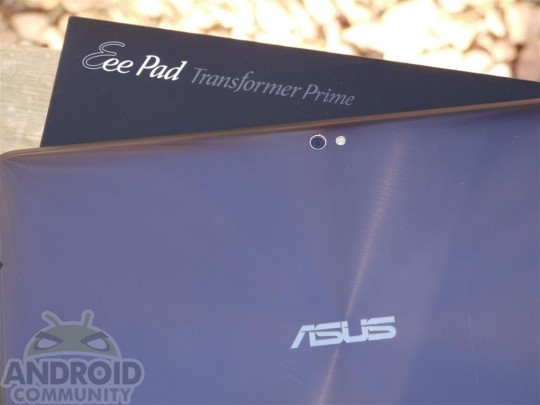
Tonight we will finally see a fix to the GPS issues ASUS Transformer Prime owners had been facing since day 1. ASUS had claimed their last update to the device would improve GPS, but in actuality this update perfects it. But what if you don’t feel like waiting for the update to push to your device?
DroidHam from XDA Developers has a solution. He went through the following steps to get his device to force the update tonight. First, you’ll need to navigate to www.ASUS.com. Then head over to Support > Downloads > and type in “Transformer Prime”. The file is named “Eee Pad Transformer Prime TF201 Firmware: V9.4.2.7 Only for US SKU (Android 4.0.3)”. Download the 300MB file, extract the file, and then place it on the root of your SD card.
He then turned his device on and went to System > About Tablet > and checked for a new update. The update actually reinstalls ICS – but afterwards the OTA update instantly appeared on his Transformer Prime. If you have any other questions, or simply want to report that this didn’t work for you – let us know.








Well, I can’t say this update “perfected” GPS, but I AM seeing significantly more satellites than before (which was 0 indoors, and no more that 5-7 outdoors, and NEVER got a lock) I started up GPS test first thing after update, and actually got a lock, INDOORS, quite impressive, but then outdoors was no better, and 10 minutes in they all went away, not to return, doing a reboot to try again. Encouraging? hell yes. Perfection? Not so much.
I bought the Prime because everything else about it is fantastic, a GPS fix/improvement would just be a plus for me. However, I thought it was completely a hardware issue. Going to wait until this update becomes available through the air. crossing my fingers as well.
I updated my prime 2 days ago to ics. I went to about tablet and at the bottom it says I’m already using firmware 9.4.2.7. Is this update a very minor update of the firmware or do I already have it installed.
I updated my prime 2 days ago to ics. I went to about tablet and at the bottom it says I’m already using firmware 9.4.2.7. Is this update a very minor update of the firmware or do I already have it installed.
The new update is 9.4.2.11
9.4.2.7 has been out there for while now.
I have9.4.2.11, is this the latest fix….?
Asus’ site seems horribly overloaded right now. I can’t get to it at all from Shaw and even on my cellphone, I can’t get to the actual update. Anyone know where to get it from another source?
There are several mirrored links to the latest (2.11) update here: http://forum.xda-developers.com/showthread.php?t=1452933
I dowloaded and installed successfully but still have NO GPS (which I had before the 2.7 update)
Thanks amigo – I’ve been searching for direct links and kept coming back to Indiscriminate’s original link to dropbox which was showing a 404. Very much appreciated.
I’m posting this in a few forums to try and find an answer:
My GPS barely worked (with wifi off) before this update; however, last night my TF201 told me it had downloaded an OTA update so I installed it but after installation (which the TF201 said “failed” I have NO GPS signal at all. I have tried manually downloading and installing the update but I get nothing, it doesn’t find it un “Sys firmware update” and when I try the reboot method it starts to update but then leaves android lying on his back with an X over him until I manually reboot. I never get notification of a failed update and still find no updates available in “sys firmware updates”. All revision numbers match whats pictured in the “settings” screen shot above. Tablet has never been rooted.
My WiFi signal also seems weaker since this update, any sugestions??
Thank you.
What about the WiFi issues? I cant even access their download servers right now, just get server errors
can I perform this update without doing the updates previous to this one?
Yeah, got 9.4.2.11 firmware upgrade, and i get NO GPS at all…
Same here, the latest firmware and gps is virtually non existent. Not much of an issue for me, but does discourage
didnt work no better after update….come on asus …i like the tab but i need the WIFI an GPS to work…google cant even find my locatio. so many apps use location to send you info. you may think you dont need it but you will see real fast.