

When you type in an item on your to-do list in whatever app you’re using, it sometimes takes you a few steps: unlock your phone, search for the app, open the app, choose add a new item from the menu, type in a new item, then save it. While that’s pretty par for the course with a lot of the apps that we use, what if you could remove a couple of steps from that process? If you use Microsoft’s minimalist but useful To-Do app, then you will have that with the latest update.
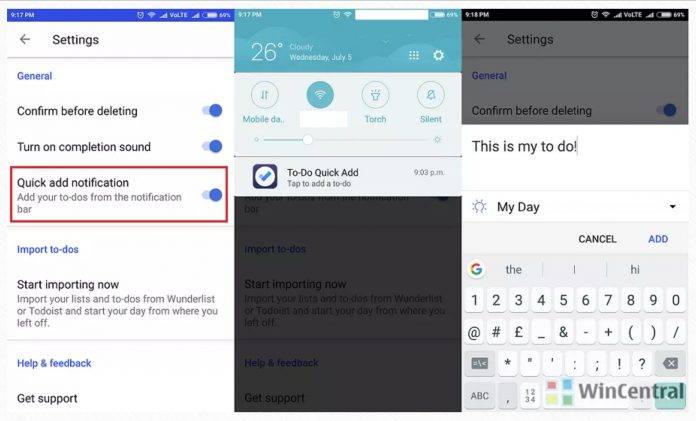
Once you’ve updated your To-Do app to the latest version, you will be able to add new tasks directly from the notification bar. This will save you around 2-3 steps of your usual productivity process which if you add up in the long run will save you a few minutes. Just swipe down from the notification bar and you’ll see the To-Do Quick Add section. You can even choose which list it should go to.
Turning this option on is actually pretty easy. Open your To-Do app then click on the hamburger menu. Tap on your profile picture which should take you to the settings. You will see an option there which says “Quick add notification” and you just have to toggle it to on. Then slide down your notification bar and the option will be there already.
The update is rolling out to Microsoft To-Do users already. The changelog also states some errors fixed and minor improvements, so update the app now.
VIA: The WIN Central








this app is whack compared to wunderlist.