

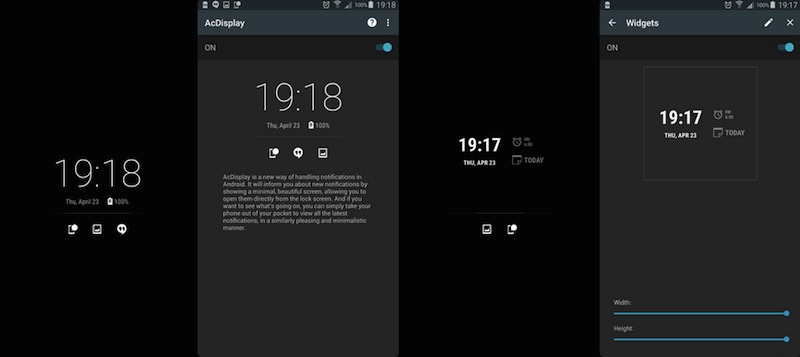
The AcDisplay 3.0 version finally got Android 5.0 Lollipop support earlier in January but after a few months, we’re now on the 3.4 version with minor updates along the way. This program developed by a certain XDA-recognized developer AChep (Artem Chepurnoy) shows new notifications even when the phone screen is off. A small screen is shown with intuitive gestures to view or do an action to a certain notification.
The AcDisplay app must be given necessary permissions to work. You can edit notifications or options to ignore some apps, change the font size, set inactive hours, or set the wallpaper depending on your preference. With the recent update, the default clock widget can now be modified as well.
Feel free to change the default clock with any widget that you want. You can replace it with a music widget or a dashboard widget. Like in the past, the new widget won’t be clickable so there’s no chance to unlock it accidentally. This change of adding a new widget will also affect AcDisplay globally. You can change behavior of each widget in the settings so you can interact with it if you want.
The latest AcDisplay 3.4 also offers updated translations from www.translate.acdisplay.org, bug fixes, and system enhancements. You’ll also notice the error on the Title bar appearing from time to time fixed. Some issues and errors with custom widgets were also fixed.
Download AcDisplay from the Google Play Store
VIA: XDA Developers








i keep having an error while trying to add a custom widget