

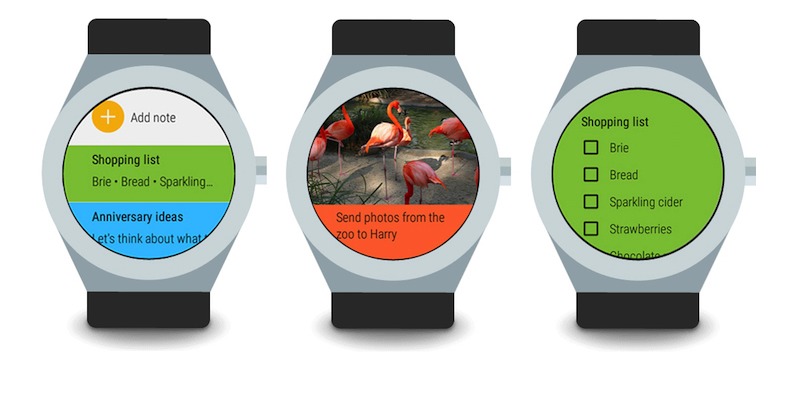
Google Keep keeps on imrpoving and helping more Android users with its features. The productivity app went live officially two years ago and has since received numerous updates. The latest one includes new organization features plus sharing of “to do” lists with family. While taking notes on the Android app is already possible and is actually easy and convenient, it needs to be updated for use with Android Wear on a smartwatch.
App is supported to work on a smartwatch so you can read through notes, create a new one, or view the recent ones. With this update, you can make a new reminder or create a new note without having to type words on the very small screen. Just “speak” and the watch will automatically save your notes and set reminders for future reference. To make a new note, tap on the plus sign then speak. To view a note, simple swipe or down and tap.
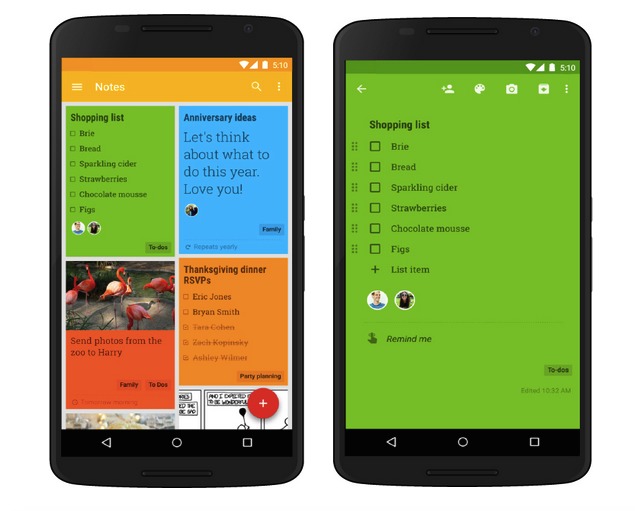
The new app update also allows a user to add labels for better organization. You can add “To dos”, “Important”, or “Inspiration” as labels. You can use any word to label your notes to help you stay organized. Make sure you remember the labels though.
You can now also add recurring or frequently used reminders so you don’t miss any regular to-do tasks. You can access Keep anytime as it’s always within reach whether on your smartwatch, computer, smartphone, or tablet. You can even set a location-based note or reminder to pull up a note. So whether in school, office, at home, or simply in the grocery, you can see your notes and to do list for that particular place.
Download Google Keep from the Google Play Store
SOURCE: Android







