

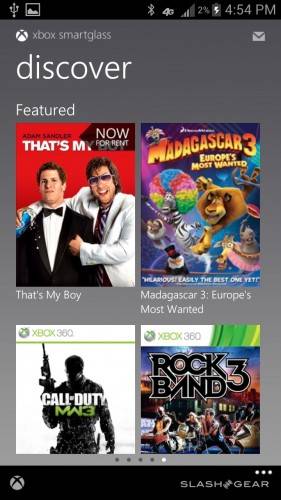
Today may be mostly about the launch of Windows 8 for Microsoft, but there’s also some big news for Android users to be found hiding within all the hullabaloo. Microsoft has launched Xbox Smartglass for Android phones, meaning that today you can use your Android handset as something of a second controller for your console. Before you can experience all of the features of Xbox Smartglass though, you’ll need to connect your device to your console, which is done over your home Wi-Fi connection.
Once you’ve done that, you can use your Android phone as a remote control when you’re playing videos on your Xbox 360, with Microsoft giving you the ability to stop, start, pause, fast forward, and rewind video using your handset. You can also use Smartglass to navigate you content libraries on your console using your device, so the feeling that Smartglass turns your phone into another 360 controller is definitely present.
However, don’t let that dissuade you from downloading the app, as you can also use Smartglass to check our your gameplay stats, including a breakdown of your Gamerscore and achievements. You can also view your avatar on you mobile device, as well as updating social information for your Xbox Live profile. Essentially, Xbox Smartglass lets you view and edit your Live profile, without actually letting you play your games.
It’s a cool little app to be sure, and we’re excited to see what’s in store for the future of Smartglass, especially on tablets. There’s a lot Microsoft can do with Smartglass, so here’s hoping that Microsoft continues to support it and improve it as time goes on. At the very least, let’s hope that Smartglass doesn’t end up like a certain other Xbox 360 peripheral (cough Kinect cough). If you’re interested in checking out Xbox Smartglass, you can get the app now from the Google Play Store [download link].
[via SlashGear]








no support 4 android 2.3 users
HOLY COW! I now think Xbox are better than PS3 but when it comes to price and function I also think PS3 is dawn best. when I bought my PS3 it was PS3 > Xbox360. Now after this + meany other cool features it looks more like PS3 ~ Xbox360
doesn’t even support android tablets only smartphones
the app is just updated with 7-inch tablet support
There is tablet support xda can show you how.works well on my unrooted nexus 7