

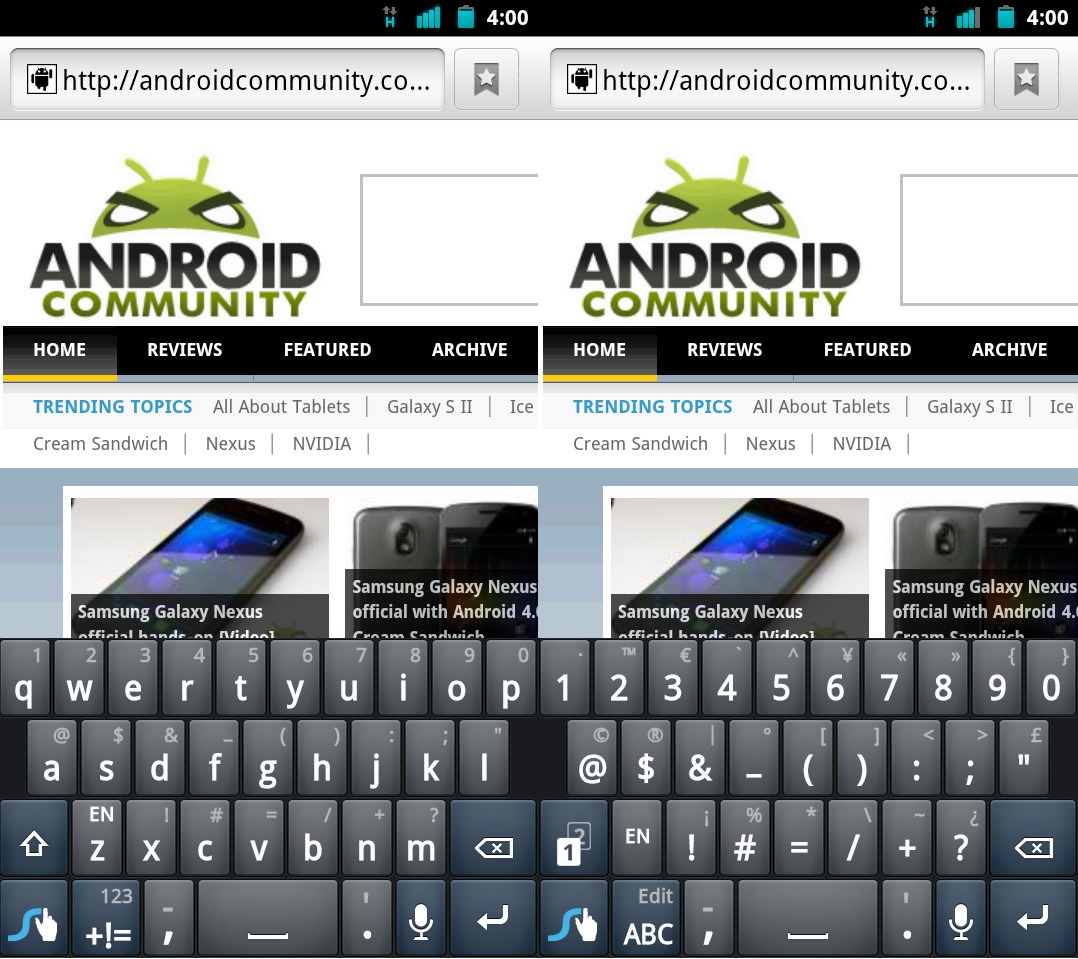
The popular 3rd party keyboard for Android Swype is back today and has just received its latest update. The beta was updated to Swype version 3.26 late last night during all the Ice Cream Sandwich fun. The Swype beta was last updated to 3.25 back in August and we had plenty of information then, and we have even more this time. The main thing with the latest update is automatic updates, no longer do we need to deal with the Swype installer app. More update details and video are after the break.
After installing this latest v3.26 you’ll no longer be required to save or download that pesky swypeinstaller app and run it first, check for verification and all that nonsense. This latest version will have you all set up and you’ll never need to use the installer again. From here on out Swype will push updates right to your handset and users can just select automatically update and enjoy the latest they have to offer. Your settings and dictionary will all be saved so don’t worry. This was a huge concern and I’m glad to see a new system in place.
Being notified of new versions is nice because you’ll never have an old version again, nor will you have an old installer version because that went out the window too. Before we get into the details check out my quick video preview of the brand new Swype Beta version 3.26 recorded using Screencast for Android (audio quality is still a work in progress, sorry).
Here is a list of all the new features:
– New cleaner layout
– Numbers are now located along the top row of keys, similar to a traditional keyboard
– Automatic updates: no longer use the installer
– Automatic updates don’t erase settings, never redo your custom settings again
– The “Globe” key has been removed from all BETA builds (until we can make it an option in settings)
– Added a second page to the symbols layer. Press the 1/2 key on the left to switch between them.
– 11 new languages batched into 4 regional downloads to save space
We’ve been hearing rumors of Swype planning to change the color scheme and offer an orange tracer and black background, just like Gingerbread but now all the colors of Ice Cream Sandwich will line up closer to the current color scheme — so we’ll see what they decide later on. The new color layout could look like the layout of their forums.
As always full details are available at the beta forum by clicking here, and to get started with the latest beta download it right here.








Not showing up for me. i updated my swype installer but still says “Congratulations!”
Uninstall Swype and then run the installer again – worked for me