• Home
  • Reviews
  • Featured
  • Archives
  • Videos
  • Devices
  • Send Tips
  • Contact
  • AndroidCommunity on Twitter AndroidCommunity on Facebook AndroidCommunity on Google+ AndroidCommunity RSS Feed

Android Community

    • MUST READ

      STORIES

    • Android 4.3 leaks on video with new camera UI

      May 24, 2013

    • HTC One ‘Senseless Edition’ could arrive this summer

      May 23, 2013

    • Verizon HTC One reality returns as DROID DNA offer pops up

      May 20, 2013

  • Trending Topics
  • Jelly Bean
  • NVIDIA
  • Galaxy S 4
  • HTC One
  • Nexus 7
  • Tegra
  • Sell Your Used Phone

Skitch Android update brings full Evernote sync

1
  • By Eric Abent
  • on 30 Oct, 2012

Skitch Android update brings full Evernote sync

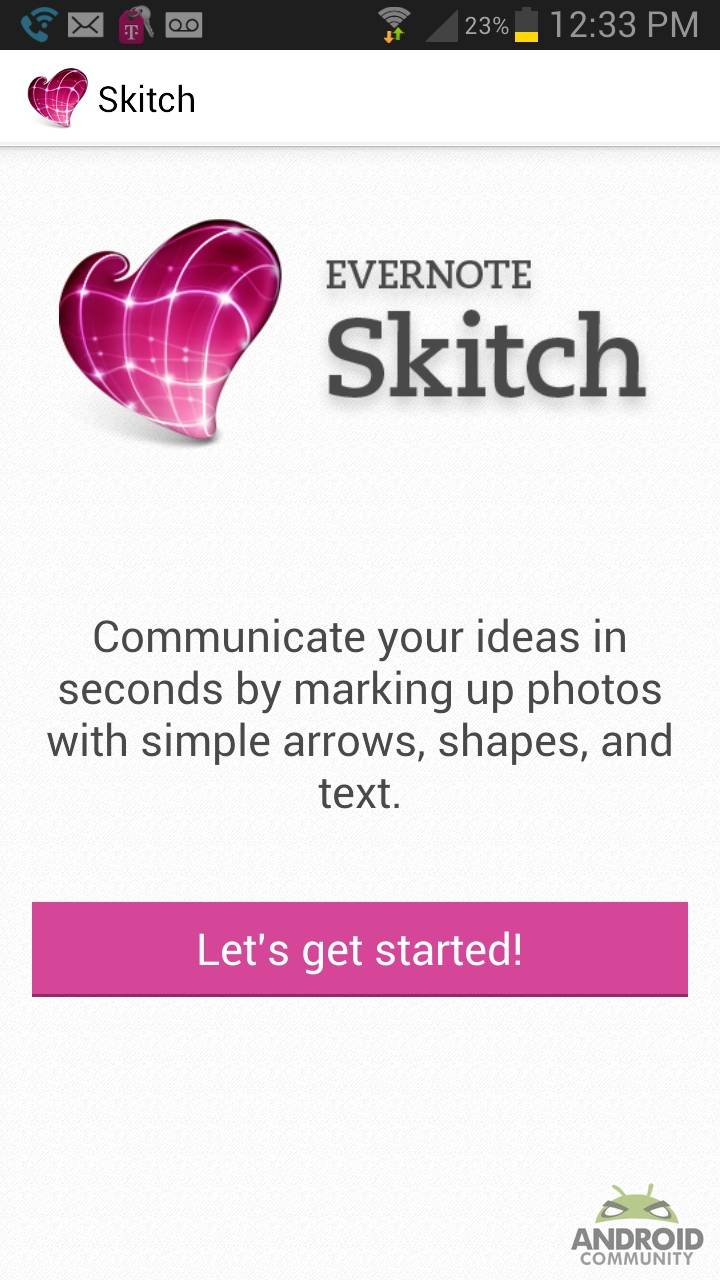
The folks behind Skitch have just pushed an update to version 2.0 for Android out the door, and it brings some snazzy new features with it. There isn’t too terribly much included in this update – which means the changelog isn’t going to be a mile long – but what version 2.0 offers is worth checking out, especially if you use Skitch on a regular basis. Perhaps some of the most important changes include deeper Evernote integration, but you also have a couple new editing tools at your disposal, so read on to find out more.


As stated above, this update comes packing increased Evernote integration. Users can now take advantage of full Evernote sync if the much-loved app is installed alongside Skitch, which will prove to be quite handy for those who have always thought Evernote and Skitch go hand-in-hand. The developers of Skitch are also touting “improved integration with the Evernote app,” but sadly don’t get into detail about what has been improved.
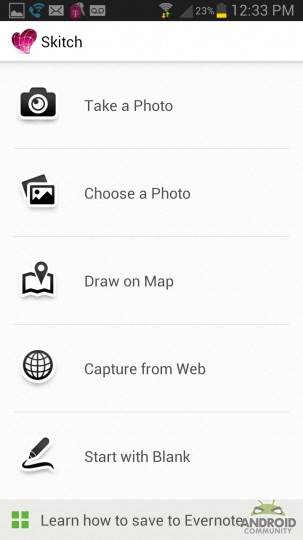
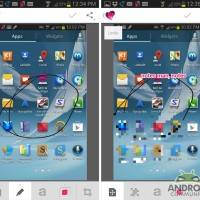
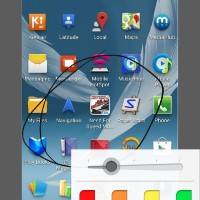
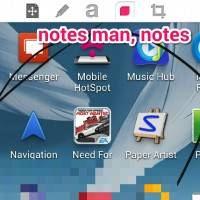
Skitch users will also notice some significant cosmetic changes, as the app now has a redesigned user interface. There are also a pair of new editing tools for you to go nuts with: highlighter and pixelate. Both are pretty straightforward, as pixelate lets your obscure part of and image to keep private things private, and highlighter naturally allows you to mark up your notes, drawing attention to the important stuff.
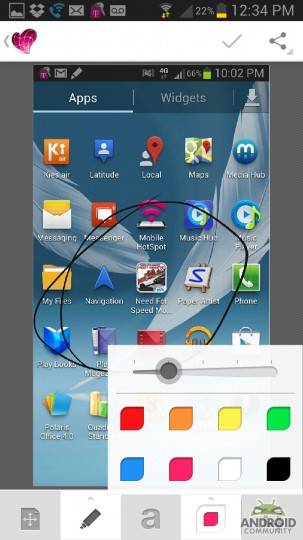
Finally, with version 2.0, users can now view and edit Skitch notes made on other platforms, which is a big win for those of us who have Skitch installed on various devices and machines. Even better is that this update is available now from the Google Play Store [download link], so you don’t have to wait for all of these new features to arrive. Be sure to have a look at our story timeline below for more on Skitch and Evernote!

Screenshot_2012-10-30-12-33-340000
Screenshot_2012-10-30-12-33-450000
Screenshot_2012-10-30-12-34-190000

Screenshot_2012-10-30-12-34-260000
Screenshot_2012-10-30-12-35-180000

Story Timeline

  • Dolphin Browser adds Evernote, Skitch functionality
  • Evernote 4.0 for Android debuts
  • Evernote Hello contact manager hits Android
  • Evernote Food launches for Android
  • Evernote updated with improved performance and Jelly Bean notifications
  • Evernote gets improved premium features, better note editing, and more
[via SlashGear]
Share
  • New Nexus 7 reportedly shipping now, launching next month
  • HTC One with a larger 5-inch display coming soon
  • Android 4.3 leaks on video with new camera UI

Tags: EvernoteGoogleGoogle Play Store

  • bob

    Except that now it turns everything sideways just like evernote for android. Cannot believe this was broken as skitch was the easiest way to get properly oriented pics into evernote. Now everything is sideways and I need to use droidscan.

  • Search

  • REVIEWS

    • AT&T LG Optimus G Pro ReviewAT&T LG Optimus G Pro Review
    • Iron Man 3 game Review: what you need to knowIron Man 3 game Review: what you need to know
    • Samsung GALAXY S 4 ReviewSamsung GALAXY S 4 Review
    • Samsung Galaxy Note 8.0 ReviewSamsung Galaxy Note 8.0 Review
    • Pebble review: Two weeks with a smartwatchPebble review: Two weeks with a smartwatch
  • HANDS-ON & QUICK LOOKS

    • Coolpad Quattro II 4G and 8920 hands-onCoolpad Quattro II 4G and 8920 hands-on
    • Kyocera Hydro XTRM and EDGE hands-onKyocera Hydro XTRM and EDGE hands-on
    • Opera for Android exits beta, we go hands onOpera for Android exits beta, we go hands on


  • T-Mobile G1 Accessories
  • RECENT COMMENTS

  • About
  • Contact
  • Terms of Use
  • Privacy Policy
  • Advertise

Copyright 2013 Android Community