

The original Nook Color has a special place in many a geek’s heart as one of the first truly mainstream Android tablets, and not just because it was designed for mainstream use. The original had an easy-to-exploit MicroSD mounting system that made gaining access to the Android software easy for modders everywhere. It looks like Barnes & Noble didn’t mind the bogarting of its proprietary software at all, because installing non-approved apps is even easier on the new Nook Tablet: just download an APK file from the web and you’re good to go.
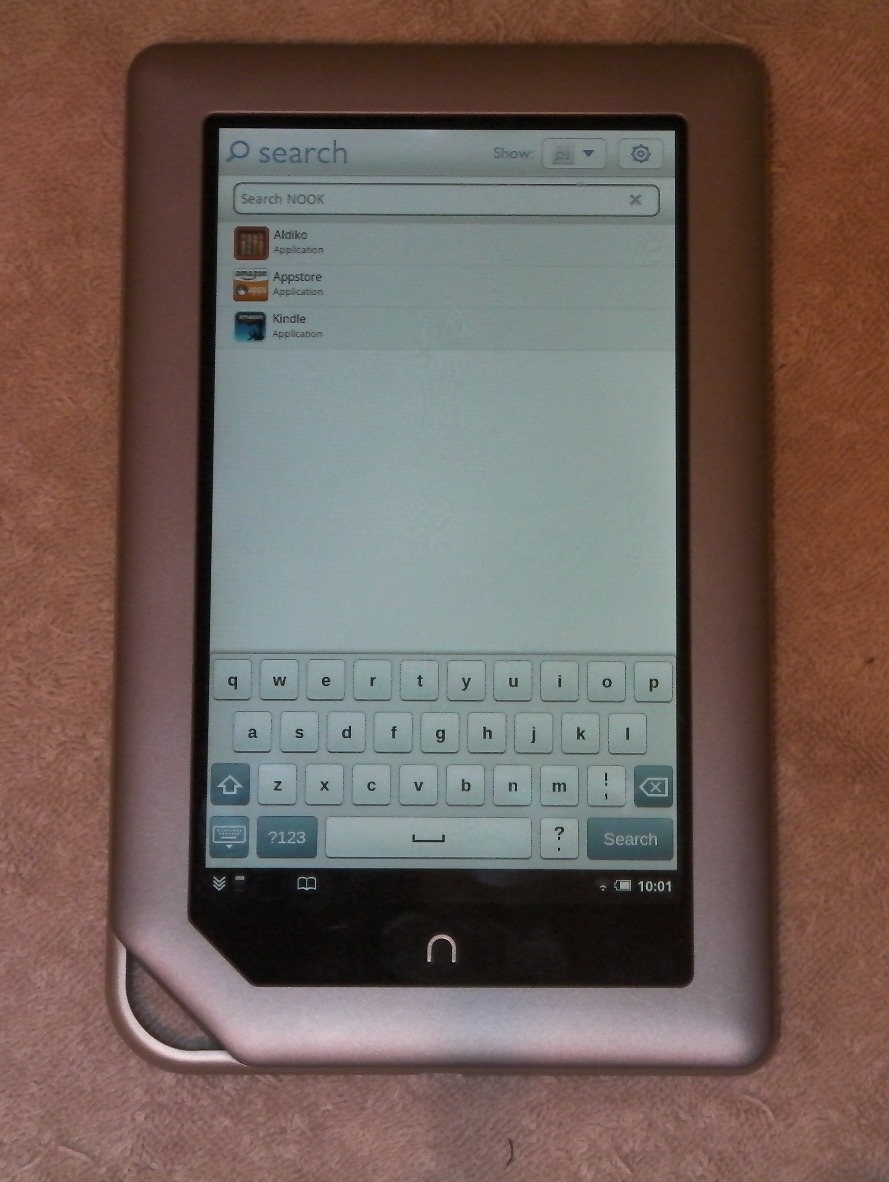
There’s a little hitch in the process, since downloaded apps don’t appear next to their official companions in the Nook Tablet launcher. But if you open search and begin typing, you’ll see the new apps appear, and you can launch them from there. I don’t have a Nook Tablet handy, but I assume that if you download and install a launcher app like Launcher Pro or ADW, you could almost immediate turn it into a standard Android interface. Some more in-depth hacks, like access to Google services and the Android Market, should be coming very shortly.
It’s interesting that Barnes & Noble is making it so easy to modify the Nook Tablet’s software. They’re certainly aware that the Nook Color was very popular as a modding platform, and far from trying to discourage a hole in their walled garden of conte3nt, they’re embracing the Nook’s reputation as a cheap, hackable tablet. Perhaps the Nook Tablet is less relevant now that chap Android tablets are available in abundance, but the unofficial nod to the Android community is noted and appreciated. OK, ROM makers, get cracking on a Nook flavor of Ice Cream Sandwich.
[device id=2012]
[via Engadget]








Hi! time goes forward and today we have the ability to create iPhone apps without the necessity of being developers. Many web services can help everyone build various apps in some minutes and a little bit after enjoy them using one’s iPhone. As for me I have already made some apps for me using http://www.snappii.com
now it’s your turn to try it.
…lame.
Nice post. Glad to know this functionality is there — since it’s already been rooted I was figuring I’d be using that, but since it’d just be to get two or three apps this is probably a lot easier.