

• Home
  • Reviews
  • Featured
  • Archives
  • Videos
  • Devices
  • Tegra
  • Send Tips
  • Contact
  • AndroidCommunity on Twitter AndroidCommunity on Facebook AndroidCommunity on Google+ AndroidCommunity RSS Feed

Android Community

    • MUST READ

      STORIES

    • Android 4.3 leaks on video with new camera UI

      May 24, 2013

    • HTC One ‘Senseless Edition’ could arrive this summer

      May 23, 2013

    • Verizon HTC One reality returns as DROID DNA offer pops up

      May 20, 2013

  • Trending Topics
  • Jelly Bean
  • NVIDIA
  • Galaxy S 4
  • HTC One
  • Nexus 7
  • Sell Your Used Phone

Nexus One multitouch browser ROM hack released

0
  • By Chris Davies
  • on 22 Jan, 2010

Nexus One multitouch browser ROM hack released

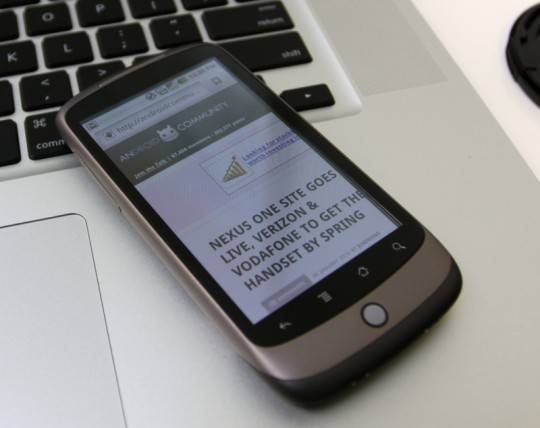
The absence of multitouch on the Google Nexus One has proved a frustrating limitation for many owners – and an arbitrary one, too, since the HTC hardware itself certainly supports recognizing more than one point of touchscreen contact.  Happily what Google won’t deliver, hacked ROMs will, and cyanogen has released a hack that enables multitouch in the Nexus One’s browser.

Actually, it’s more interesting than that, as the crafty tinkerer has made sure that his multitouch framework will work not only in the browser but be potentially recognized by other applications.  That paves the way for pinch-zoom and other multitouch gesture support elsewhere across the system – Google Maps, we’re looking at you – if developers decide to get their hands dirty and mod them.

Installation instructions (and the ROM files themselves) are here; be sure to back up your bookmarks first, though, as loading the hack will delete them and your browser settings.  cyanogen says the mod will be rolled into an upcoming ROM designed for the Nexus One.

Share
  • New Nexus 7 reportedly shipping now, launching next month
  • Verizon HTC One "will be announced later"
  • HTC One with a larger 5-inch display coming soon

Tags: Android BrowserAndroid ROMhackmultitouchNexus One

  • Search

  • REVIEWS

    • AT&T LG Optimus G Pro ReviewAT&T LG Optimus G Pro Review
    • Iron Man 3 game Review: what you need to knowIron Man 3 game Review: what you need to know
    • Samsung GALAXY S 4 ReviewSamsung GALAXY S 4 Review
    • Samsung Galaxy Note 8.0 ReviewSamsung Galaxy Note 8.0 Review
    • Pebble review: Two weeks with a smartwatchPebble review: Two weeks with a smartwatch
  • HANDS-ON & QUICK LOOKS

    • Coolpad Quattro II 4G and 8920 hands-onCoolpad Quattro II 4G and 8920 hands-on
    • Kyocera Hydro XTRM and EDGE hands-onKyocera Hydro XTRM and EDGE hands-on
    • Opera for Android exits beta, we go hands onOpera for Android exits beta, we go hands on


  • T-Mobile G1 Accessories
  • RECENT COMMENTS

  • About
  • Contact
  • Terms of Use
  • Privacy Policy
  • Advertise

Copyright 2013 Android Community






