

• Home
  • Reviews
  • Featured
  • Archives
  • Videos
  • Devices
  • Tegra
  • Send Tips
  • Contact
  • AndroidCommunity on Twitter AndroidCommunity on Facebook AndroidCommunity on Google+ AndroidCommunity RSS Feed

Android Community

    • MUST READ

      STORIES

    • Chrome Beta updated with Translation bar and fullscreen tablet support

      May 23, 2013

    • HTC One ‘Senseless Edition’ could arrive this summer

      May 23, 2013

    • HTC One sales are strong as it passes 5 million mark

      May 23, 2013

  • Trending Topics
  • Jelly Bean
  • NVIDIA
  • Galaxy S 4
  • HTC One
  • Nexus 7
  • Sell Your Used Phone

Maxthon allows Android users to create their own custom browser

0
  • By Shane McGlaun
  • on 8 May, 2012

Maxthon allows Android users to create their own custom browser

If you are an Android smartphone user or tablet user, and you’ve ever wished you could make your own browser, Maxthon will help you build your own custom browser. The browser is powered by Maxthon Mobile, and the user can choose several aspects for the browser. The Make Your Browser service is free and available now to anyone who wants to try it out.

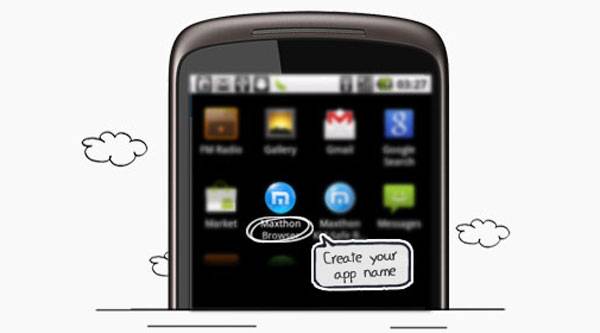
Using the new service, users can create an Android browser with their own personal look and feel, content links, splash screen, and homepage. The service walks users through making their own browser and allows you to choose a name for your browser and even the icon on your smartphones homepage. The homepage for the browser can be any URL the user chooses.

There are multiple themes/skins to choose from. The user can also upload their own splash screen. Once all the options are selected and uploaded, a click of the create APK button gets the browser ready for your device.


Share
  • Samsung Galaxy Note 3 with Android 4.3 spotted in benchmark results
  • Verizon HTC One "will be announced later"
  • Verizon HTC One tipped for CTIA event unveiling

Tags: Appbrowsersoftware

  • Search

  • REVIEWS

    • AT&T LG Optimus G Pro ReviewAT&T LG Optimus G Pro Review
    • Iron Man 3 game Review: what you need to knowIron Man 3 game Review: what you need to know
    • Samsung GALAXY S 4 ReviewSamsung GALAXY S 4 Review
    • Samsung Galaxy Note 8.0 ReviewSamsung Galaxy Note 8.0 Review
    • Pebble review: Two weeks with a smartwatchPebble review: Two weeks with a smartwatch
  • HANDS-ON & QUICK LOOKS

    • Coolpad Quattro II 4G and 8920 hands-onCoolpad Quattro II 4G and 8920 hands-on
    • Kyocera Hydro XTRM and EDGE hands-onKyocera Hydro XTRM and EDGE hands-on
    • Opera for Android exits beta, we go hands onOpera for Android exits beta, we go hands on


  • T-Mobile G1 Accessories
  • RECENT COMMENTS

  • About
  • Contact
  • Terms of Use
  • Privacy Policy
  • Advertise

Copyright 2013 Android Community





