

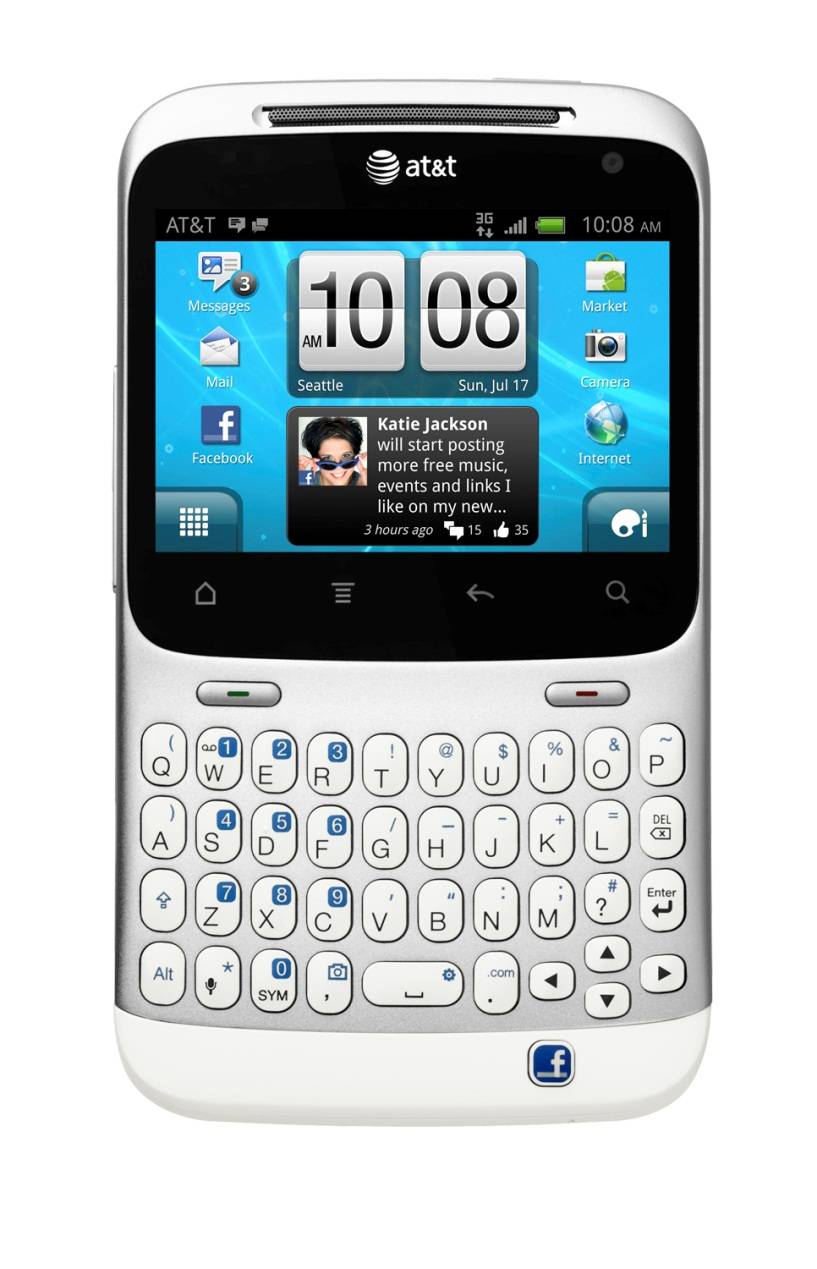
In case you missed it HTC has been brewing what some have been calling a “Facebook Phone” and today HTC and AT&T have officially announced that it will indeed be headed to the U.S. cleverly named the HTC Status. You have probably seen the HTC ChaCha name a few times and they are basically twins. Feel free to check out our man Chris Davies review of the HTC ChaCha for a better idea of the hardware.
Hopefully you noticed that neat little dedicated Facebook button on the bottom because that is what all the buzz is about, it has a few tricks up its sleeve and will make using Facebook fast and easy for all you hourly “Status” changers. Here is a list of the features you’ll get with that dedicated button on the bottom:
One touch to share- Press the Facebook share button from your home screen to instantly post on your wall.
Snap, shoot, share- Take a picture or shoot a video and share it instantly with a press of the Facebook share button. You can even post pictures automatically as you’re taking them..
Quick-on-the-draw check-in- Just long press the Facebook share button to check in your location with Facebook Places.
Be first with the news- See something cool on the web? Share your latest find with a quick press of the Facebook share button.
Post to your wall – or a friend’s wall – From the home screen, a quick tap of the Facebook HTC share button makes sharing anything on your mind quick and easy.
Share what you’re listening to- The Facebook share button glows when you’re listening to music, to let you know you can share. Let your friends in on the music you love with the push of a button.
The phone is rocking some pretty solid specs to help out as well and those include a 2.6″ display with a 480 x 320 resolution, Android 2.3 on board as well as the beautiful HTC Sense UI. It has a 5 MP shooter on the rear and a front facing VGA camera for video chat, 512MB of RAM and all powered by a 800 Mhz Qualcomm MSM7227 processor. One benefit of that smaller screen is the 1250 mAh battery should be enough to last you through hours and hours of Facebook during the entire day.
For more details feel free to head over to the HTC Status Facebook Page or the AT&T Facebook Page







