• Home
  • Reviews
  • Featured
  • Archives
  • Videos
  • Devices
  • Tegra
  • Send Tips
  • Contact
  • AndroidCommunity on Twitter AndroidCommunity on Facebook AndroidCommunity on Google+ AndroidCommunity RSS Feed

Android Community

    • MUST READ

      STORIES

    • Hisense Sero 7 Pro Tegra 3 tablet gets official – watch out Nexus 7

      May 23, 2013

    • Mailbox for Android confirmed to be in the works

      May 23, 2013

    • LG launches the waterproof Optimus GJ smartphone

      May 23, 2013

  • Trending Topics
  • Jelly Bean
  • NVIDIA
  • Galaxy S 4
  • HTC One
  • Nexus 7
  • Sell Your Used Phone

GroupMe v4.0 hits Android with new UI and tablet support [Hands-on]

0
  • By Cory Gunther
  • on 23 Jan, 2013

GroupMe v4.0 hits Android with new UI and tablet support [Hands-on]

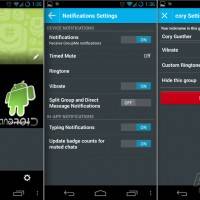
The popular group messaging service available on multiple platforms has just received a massive and much welcomed update for Android. Today the folks from GroupMe updated their Android app to version 4.0 and with it comes new features, an awesome and improved user interface, and finally tablet support. Read on for more details, screenshots, and a quick hands-on with their tablet optimized app.

Screen Shot 2013-01-23 at 2.29.10 PM

GroupMe 4.0 has been in a limited beta stage since mid-November but starting today the all new redesigned and improved app is available to the world. If you want to chat and have group conversations with any and all devices with ease this is the way to do it. The biggest new feature however, is Android tablet support.
Screenshot_2013-01-23-14-12-03

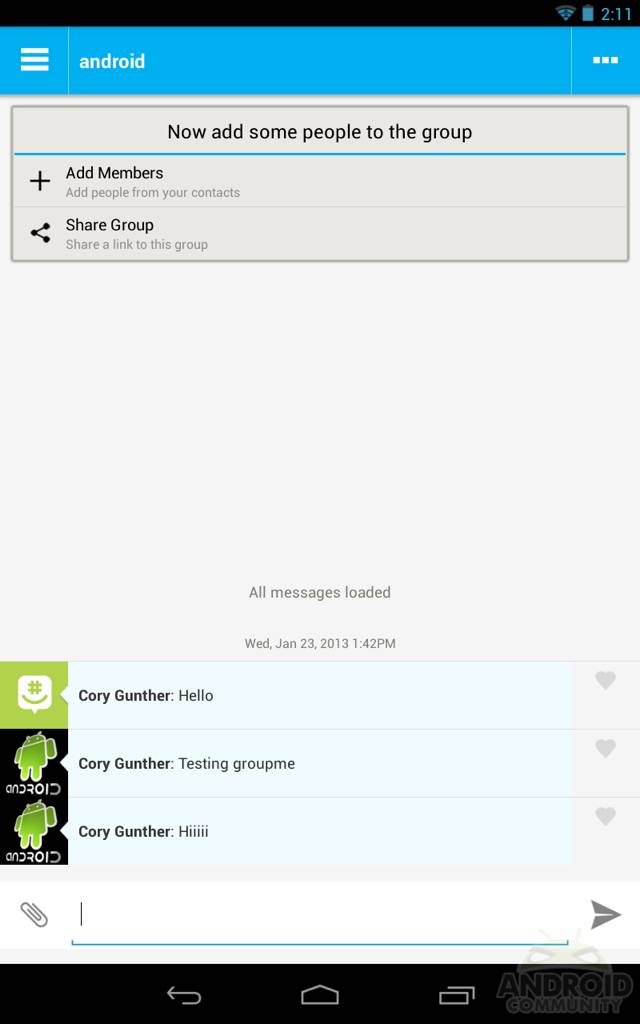
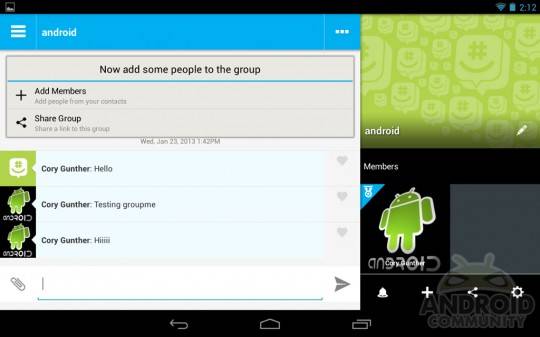
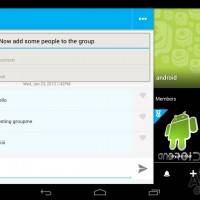
Version 4.0 of GroupMe brings a newly redesigned and improved user interface. Better and bigger font, new colors, easier and quicker direct messaging, as well as new HD images and avatars. They’ve integrated the popular slide-out drawer interface on both the left and right side on smartphones and tablets in portrait mode. Then in landscape features a floating conversation window with groups to the left, and (as shown above) users in a select group and all of that groups options to the right.

There’s now huge avatars for each group in the right drawer, tap any of them to quickly send direct messages, and tap the share feature to add images or quickly display a map with your location. GroupMe for casual chat, real-time chat, and even business use is extremely fast, efficient, and easy.

The tablet UI is awesome as you saw above in our quick hands-on video, and the developers promise a faster and better experience on all Android devices with 4.0 now available. You can even share a group with a simple URL with one tap now in the share options. If you’ve been looking for a quick and easy way to communicate cross-platform check out GroupMe today. Get the new version from the Google Play Store.
Screen Shot 2013-01-23 at 2.29.10 PM
Screenshot_2013-01-23-14-12-03
Screenshot_2013-01-23-14-11-57

Screenshot_2013-01-23-14-11-52

[via GroupMe Blog]
Share
  • Samsung Galaxy Note 3 with Android 4.3 spotted in benchmark results
  • Verizon HTC One running Android 4.2.2 could be coming soon
  • Verizon HTC One tipped for CTIA event unveiling

Tags: AndroidAppchatGroupMeinstant messagingmessagingTabletUpdate

  • Search

  • REVIEWS

    • AT&T LG Optimus G Pro ReviewAT&T LG Optimus G Pro Review
    • Iron Man 3 game Review: what you need to knowIron Man 3 game Review: what you need to know
    • Samsung GALAXY S 4 ReviewSamsung GALAXY S 4 Review
    • Samsung Galaxy Note 8.0 ReviewSamsung Galaxy Note 8.0 Review
    • Pebble review: Two weeks with a smartwatchPebble review: Two weeks with a smartwatch
  • HANDS-ON & QUICK LOOKS

    • Coolpad Quattro II 4G and 8920 hands-onCoolpad Quattro II 4G and 8920 hands-on
    • Kyocera Hydro XTRM and EDGE hands-onKyocera Hydro XTRM and EDGE hands-on
    • Opera for Android exits beta, we go hands onOpera for Android exits beta, we go hands on


  • T-Mobile G1 Accessories
  • RECENT COMMENTS

  • About
  • Contact
  • Terms of Use
  • Privacy Policy
  • Advertise

Copyright 2013 Android Community