

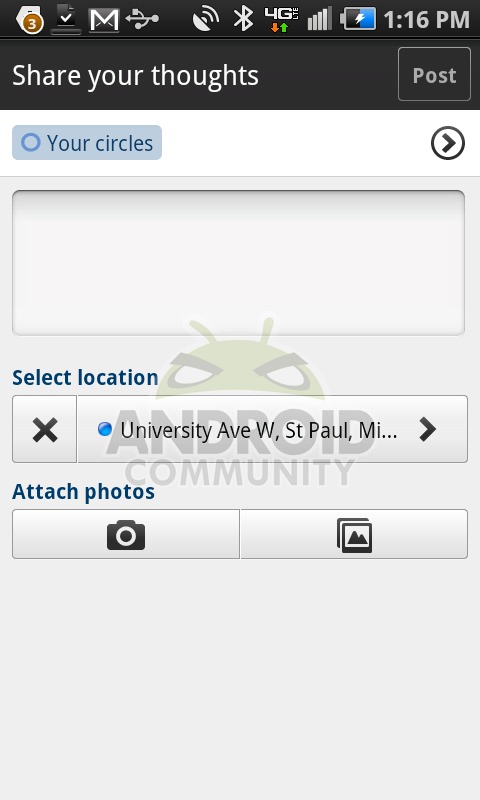
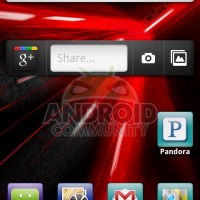
It’s becoming quite clear that the folks who designed the user interface for Google+ are quite brilliant. One of those people was Andy Hertzfeld, one of the original designers of the first Mac, so I’d hope so. One of the lesser-realized elements in the mobile app portion of the Google+ is the widget, a rather simple and super lovely looking 1×4 widget that sits on your desktop and gives you direct access to a share screen, your camera, your gallery for sharing already taken photos, or straight up entry into the Google+ application.
On the very left of this widget, which no matter what size you make it, remains one spot tall and four spots long, is the same G+ icon you’ve gotten used to by now if you’ve been using the Google+ mobile app which we’ve extensively reviewed and had a hands-on with here. This icon leads you directly into your Google+ app the same way your average Google+ shortcut does. Next is the Share bar – looking like a text entry location like you’d normally see in, say, a Google search widget (like you’ll also see in the screenshot above,) tapping this area leads you into the share window in your Google+ app.
Next is the camera button that’ll lead you right into your camera app – it’s important to note here that this isn’t your normal camera app, even though it does appear to be whatever camera application you’ve got set as default. This camera immediately moves into Google+ share window upon taking a photo and pressing “Save.” Finally you’ve got a Gallery button. This button leads you into your Google+ photo gallery, allowing you to interact with your photos and further share them to your heart’s delight!








I knew it looked familiar…. http://googlemobile.blogspot.com/2010/03/introducing-google-buzz-widget-for.html
It’s a re-badged buzz widget – how the fuck is it sweet? Were you just sucking on Google’s dick during this post? They should have had a widget that let you scroll through your stream instead of just this.
someone please invite me in to google+ ahodge007@gmail.com thanks
Looks the exact same as the Buzz widget actually…
It is a nice widget…however now that you can move the app to the SD card, the widget is not available in the widget selections. So you have a choice: memory and no widget or less memory and a widget. (EVO)