

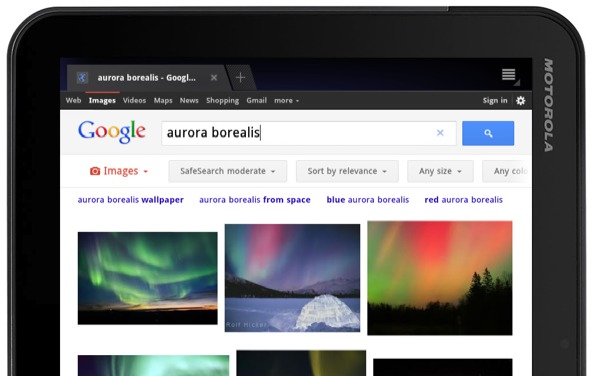
Today Google’s Mobile Division have announced improvements made to their Android and iOS tablet-specific experience for search on the web. As part of their efforts to continue to evolve the way Google’s search engine and overall Google experience functions, they’ve simplified the layout of search results and increased the size of page contents like test, buttons and other touch targets to make it easier and more enjoyable to use Google specifically on your Android or iOS tablet. These changes are specific to the tablet experience, making one again a specific effort to make each platform as strong as the next on the part of Google for their main web presence.
Search buttons located below the search box now provide access to specific types of results like everyone’s favorite: Images, the always forgotten Videos, Places so you know where you wanna go, Shopping so you know where you’re about to shop, and more. One tap of the regular blue search button opens basic results, one tap of a search button under the search box narrows results to your wanted category.
Specifically in the Images category, once again everyone’s favorite place to go, continuous scroll has been added and/or optimized depending on if your tablet was able to make it work before, image previews have been enlarged, and all image thumbnails you should be seeing loading quicker now with the upgrade. This improved search experience will be rolling out over the coming days across 36 languages on both Android 3.1+ tablets and the iPad.
You can, of course, test to see if the improvements are applied in your area by heading to http://www.google.com/ – if the changes are there, come back and tell us what you think! If the changes haven’t arrive for you yet, come back and tell us all about it!
[via GoogleMobile]








Won’t be a big help right away, since I have my Tab (Asus transformer) browser set to desktop. Most sites just treat a tab as a mobile right now. With a 10.1 screen, mobile layouts are a real waste.