

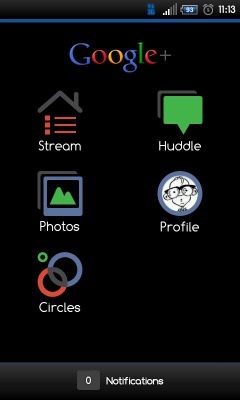
So far I’m loving Google+ as I’m sure many others are, but I’d prefer the Android app to be in black to go along with the rest of Android. Lucky for you guys those amazing developers over at XDA have themed Google+ and the entire application is now black instead of bright white. Every time G+ gets an update they are quick to theme the new version and post it up so I figured I’d share the newest one with everyone.
There is no need to be rooted or anything of that nature, just make sure installing apps from unknown sources is checked in the application settings tab, Unzip the download and install like any other APK. I’m sure most users know but can’t hurt to explain a little bit right? Basically the themer is calling this Inverted Google+, or G+ Black and I love the look.
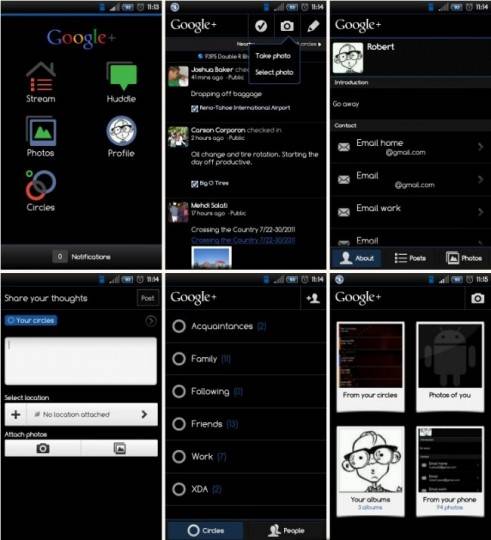
For more pictures and to get all the latest updates as I’m sure Google will be updating often make sure to follow along in the XDA thread. They also offer the same inverted theme for Google Voice in the same thread if that interests any of you readers. As always make sure to uninstall the original Google+ application before installing the new themed version in case it causes any issues.
Inverted Google+ Black Download
[via XDA]








Looks like someone barfed on the screen.
hmmm really?
yes
Man Id love to have this It wont work for me!
Absolutely beautiful. I wish the Gmail app had a black skin like this.
To those who can’t get it working, uninstall your current (white) version of G+, then install via the apk. Once you open it up you’ll need to agree to it’s permissions and select what gmail account to sync it with, but it comes up black.
Absolutely beautiful. I wish the Gmail app had a black skin like this.
To those who can’t get it working, uninstall your current (white) version of G+, then install via the apk. Once you open it up you’ll need to agree to it’s permissions and select what gmail account to sync it with, but it comes up black.
Absolutely beautiful. I wish the Gmail app had a black skin like this.
To those who can’t get it working, uninstall your current (white) version of G+, then install via the apk. Once you open it up you’ll need to agree to it’s permissions and select what gmail account to sync it with, but it comes up black.
This is really good development by XDA team.
Dein Artikel ist gut wert Augapfel. Außerdem inspirierte mich sehr, sehr attraktiv ,das werde ich diese wieder zu sehen
http://www.tuhren.org/
poop
Link is broken =/