

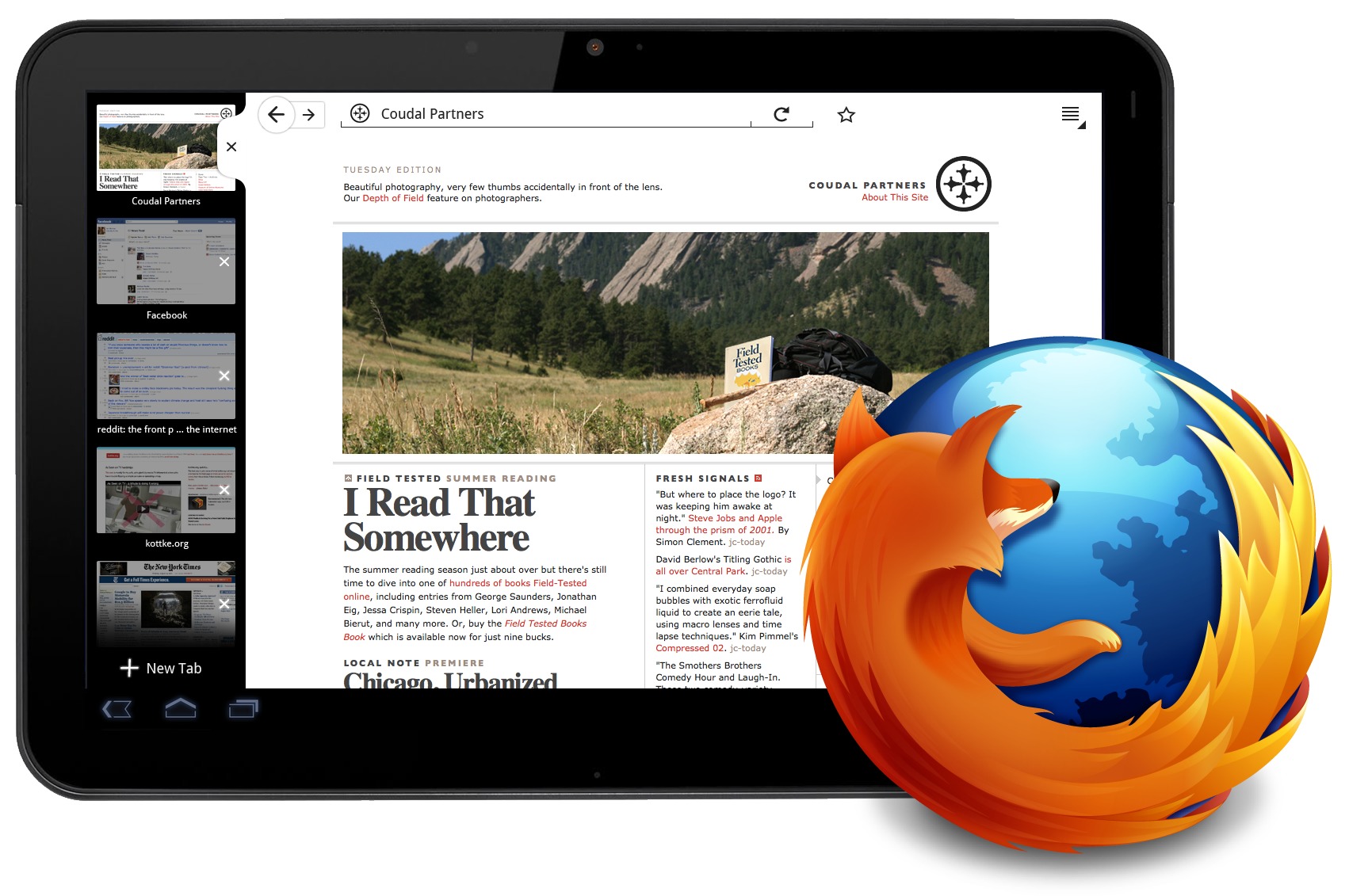
One of the most popular browsers by Mozilla is coming to Android Tablets. We already have Firefox for Android but it currently only officially supports phones. Today on the Mozilla blog they’ve announced what I’ve heard a few times being called “fennecomb”. This is Firefox for Android honeycomb tablets folks.
Firefox for tablets is an evolution of its phone based predecessor, with some added UI enhancements and changes that will take full advantage of the larger screens added real estate. With awesome tabbed browsing features that work great in both portrait, or landscape mode this will truly be a great browser for mobile devices. Themed nicely along with Android 3.0 Honeycomb it has the same drop down menu’s up top for easy access to configure settings and change themes.
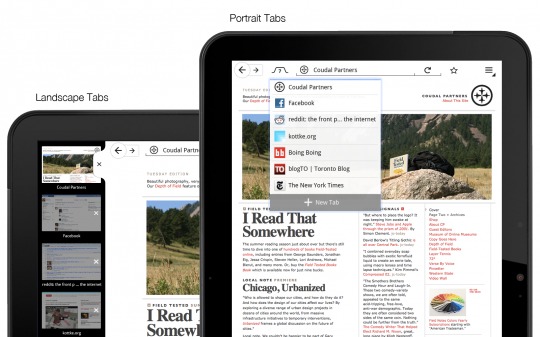
Shown in the photo above in portrait mode multiple tabs no longer take up that precious space on the top of the browser, instead the tabs are singled into one group and accessed via a drop down menu. When in landscape mode they are nicely available on the left side and you can even scroll through multiple tabs. I’m really liking what I’ve seen thus far but sadly we have no official release date or beta at the moment. This is more of a tease for now. Adding features from both the mobile version and the web based experience into one truly optimized for tablets browser this should be exciting when we get more details.
Mozilla also kept the “awesome bar” for quick access to everything. Mozilla is only showcasing the new browser today we don’t have a beta for you to download at the moment but will be sure to report back and get some hands-on time as soon as possible. More details below.
[via Mozilla Blog]








I’ve been a Firefox Mobile hater for a while now.
And this looks amazing.
Hey Doug.. Yea I still enjoy firefox but I use the stock browser on my Android phones still. This could change for Honeycomb tho
Who cares. If it doesn’t support flash from the get go, it’s damn near useless on a Tablet. If I didn’t want support for Flash, I would have gotten an iPad not an Android Honeycomb tablet. Call me when you get your act together.
It’s pretty, yes. But without Flash it’s also useless, so it’s pretty useless is what I’m saying.
Ik ben benieuwd.
You can download an Aurora build, and there is a tip on how to enable the tablet UI at:
https://wiki.mozilla.org/Mobile/Platforms/Android
Look towards the bottom of the page for the about:config setting you need to change…
thx
How can I get to the full website rather than the mobile one when using this browser on a table?