

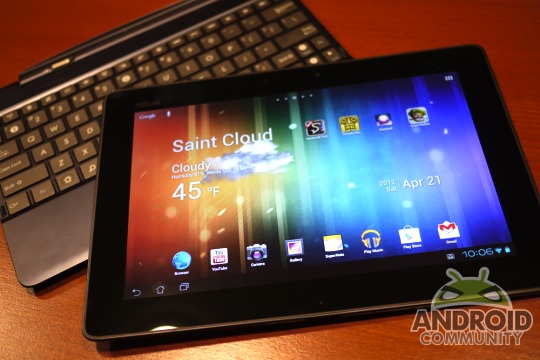
Good news today from the folks at ASUS. After many owners of the new quad-core ASUS Transformer Pad TF300 asked nicely for the bootloader to be unlocked ASUS has made it official today. Using a very similar method as the Transformer Prime ASUS is now allowing the TF300’s bootloader to be unlocked via their utility tool. More details after the break.
Ask and you shall receive. I just wish the same was true for Motorola. ASUS is staying true to their word about working with the developer community and this unlock tool starts right where the Prime left off. A simple download and instructions are all you need to fully unlock the Transformer Pad 300, from there you can root, and install some 3rd party ROM’s once they start coming out. Here’s the instructions from ASUS:
Unlock Device App: Unlock boot loader.
Notice:
1. Only suitable for Andriod4.0 Ice Cream Sandwich OS version.
2. Before you download, install, and use the Unlock Device App you acknowledge and assume complete risk to the quality and performance of this App, including but not limited to the following: once you activate the App you will not be able to recover your ASUS product (“Original Product”) back to original locked conditions;the Original Product with the activated App will not be deemed the Original Product; the Revised Product will no longer be covered under the warranty of the Original Product; the software of Revised Product will no longer be deemed the software of the Original Product and can no longer receive ASUS software updates; your purchased digital content may also be affected.
ASUS kindly notes that this does void your warranty, but that is expected at this point. The download is listed right on the ASUS site under utilities. Just select Android 4.0 and you are good to go. Get started now from the link below and enjoy your newly unlocked Transformer Pad 300.
[device id=2348]
[via ASUS]








I believe ASUS were already designing the bootloader unlock tool, well before the complaints/requests started to come through ( same with the ASUS Prime). It’s a company strategy I believe, to falsely give the feeling to consumers that ASUS are listening to their customers and are putting the needs of the consumers first.
Well played, ASUS. Well played.
In truth, I wish they’d provide the unlock as an out-of-the box item.
Yeah, it voids my warranty (Doing this fubars your hardware…riiiight…) but I don’t overly care.
I have an ASUS tablet that someone put a password on. How can I override the password. I think it was an intern who worked in our office last year.