

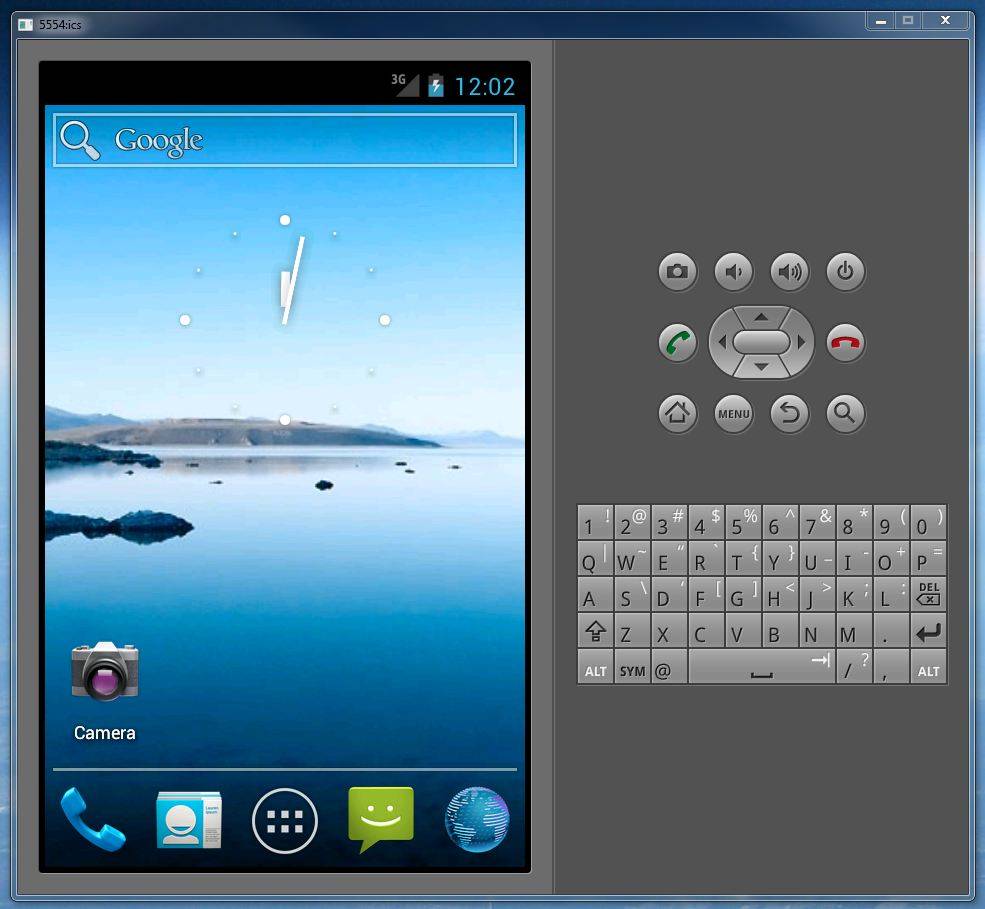
If you’re an Android developer and/or a dedicated modder, you’ll want to hear this. Google’s Android dev team has just updated the official SDK tools to version 17, with a host of new goodies for developers to try out when creating new Android apps or builds. There’s a lot of tweaks for performance and stability, but the major addition doesn’t even come from Google: they’ve borrowed some code to make the Android emulator that comes with the tool package run natively on x86 systems.
Basically, that means that the emulator included in SDK tools will run faster and more efficiently on your Windows or OS X computer (sorry Linux users), since it no longer needs to go through as many layers of virtualization. It’s still not speedy by a long shot, but based on a quick run-through, it’s a lot less frustrating than it was. With Ice Cream Sandwich adding considerably more processing and memory strain that Honeycomb and Gingerbread, that’s a major blessing for anyone who’s ever worked on a time-sensitive app. To get the emulator, install the package from the Android Developers website and use the SDK tools to download the relevant packages, then start the AVD tool.
Another interesting feature is tethered multitouch support, allowing for full control of the emulator and test apps with an Android smartphone or tablet connected to your computer via a USB cable. Unfortunately this is in the experimental stage, and requires a device running Android 4.0 to function. This feature comes along with tethered sensor support, allowing the emulator to get real-time data from your device’s accelerometer, gyroscope, magnometer, light sensor, etc. for interaction with a test app.








The emulator itself has always run natively on x86. All that was added was kernel virtualization acceleration for x86 android system images in Windows and OS X. There already was kernel virtualization for linux before this release.
whatever it is, the emulator is still slow as f*ck on my i7 and I’m dissapoint.
Looks like the x86 image is not yet available for ICS. You need to use
an x86 system image in the SDK Manager and create a new AVD using it. If
your AVD says ‘ARM’ for CPU, you are still emulating an ARM CPU.
The emulator used to take 4-5 *MINUTES* just to open.
What’s it take now? 3?
That’s all absurd.
It’s absolutely not true that the emulator is not available for Linux users. It’s very well available and works fine. Only pity is that no emulator for HC and ICS
Linux users can use KVM (Kernel-based Virtual Machine) to speed up the x86 Android emulator. Execute `kvm-ok` to check KVM status, then if everything is working OK launch emulator-x86 with the `-qemu -enable-kvm` flags. Newer versions of the x86 Android emulator can also detect and automatically enable KVM support. This can be checked by running the emulator with the `-verbose` flag.