

Join the Talk | 70,039 members - 273,178 posts Advertise | Have a scoop? Tip us!

Android hacked to run on x86

14 July 2009 by Shane McGlaun


Worth Reading?

NoYes

+1 [1 votes]


Android runs on ARM processors for the most part. That means that putting the OS onto a netbook or notebook running an x86 processor was not possible with a plain Android distro.

androidsearch

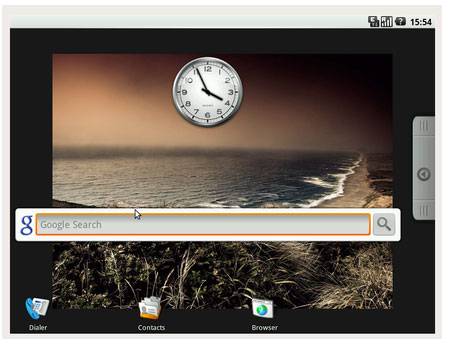
A couple programmers have announced that they have hacked Android to run on x86 hardware in a LiveCD version. It may be only weeks before we see the Acer Android and XP machine hit the PC market, but we are one step closer to being able to install Android on our computers ourselves.

The version was reportedly ported form an Asus Eee 701 netbook that was running Android. The software is said to be easy to install as well with users only needing to grab the ISO file, burn it to a CD and boot with the CD they made for install.

[via The Inquirer]

  • Digg
  • Sphinn
  • del.icio.us
  • Facebook
  • Mixx
  • Google Bookmarks
  • Slashdot
  • SphereIt
  • Technorati
  • blogmarks
  • Blogosphere News
  • email
  • NewsVine
  • StumbleUpon
  • FriendFeed
  • Live
  • Reddit
  • Twitter
  • Wikio
  1. haha i knew this was coming since i saw the phonedog video
  2. this has been on xda for a cpl weeks now.. lol. havent tried it but does anyone think it'll work on a desktop or is it just for netbooks..
  3. It does work. No CD burning required even, e.g. run it via VirtualBox. The only catch is to go and download the latest VirtualBox (currently 3.0.2). The one in the include-all bundle was failing for me on startup.

    Enjoy!
  4. I've tried it out -- it actually doesn't work half bad. Neat proof of concept.
  5. It's so classic - "doesn't work half bad" without a single hint on how. I won't even argue, just mention that you can't expect same experience as a production device from v0.2 of the effort. Also check the roadmap (TODO list) before dismissing it.

    What many people fail to realize is that this 'phone' OS actually can work for something larger than just a phone (let's ignore Chrome OS for now, they will eventually merge).
  6. I actually had this running within a VM. It worked pretty well in its alpha stage, just wish there was a mouse pointer. Choosing apps became tedious after while lol.
  7. Today they have a software mouse pointer, I think HW one was on a 0.3 roadmap.
  8. Thats pretty cool. I wonder would it run OpenOffice ?
  9. Quote:
    Originally Posted by aperepel View Post
    It's so classic - "doesn't work half bad" without a single hint on how. I won't even argue, just mention that you can't expect same experience as a production device from v0.2 of the effort. Also check the roadmap (TODO list) before dismissing it.

    What many people fail to realize is that this 'phone' OS actually can work for something larger than just a phone (let's ignore Chrome OS for now, they will eventually merge).
    "Doesn't work half bad" means that it works. It boots, it launches apps, it doesn't crash after 5 minutes. What more do you want?
Join AndroidCommunity Forums

Android Phone Accessories


T-Mobile G1 Accessories
Palm Pre Accessories
iPod Touch Accessories
Advertise with SlashGear
Free Tech Support at SlashGear Forums

© 2009 Android Community. Part of R3 Media Network

Contact | Advertising | About Us






