• Home
  • Reviews
  • Featured
  • Archives
  • Videos
  • Devices
  • Send Tips
  • Contact
  • AndroidCommunity on Twitter AndroidCommunity on Facebook AndroidCommunity on Google+ AndroidCommunity RSS Feed

Android Community

    • MUST READ

      STORIES

    • HTC Butterfly S official: UltraPixel Camera, BoomSound, 5-inch display

      June 19, 2013

    • Android 5.0 ‘Key Lime Pie’ Concept Design has us dreaming for the future

      June 18, 2013

    • Huawei Ascend P6 official as world’s thinnest smartphone

      June 18, 2013

  • Trending Topics
  • Jelly Bean
  • NVIDIA
  • Galaxy S 4
  • HTC One
  • Nexus 7
  • Tegra
  • Sell Your Used Phone

Android 4.1 Jelly Bean features offline dictation and features galore

1
  • By Cory Gunther
  • on 27 Jun, 2012

Android 4.1 Jelly Bean features offline dictation and features galore

They’ve just officially announced Android 4.1 Jelly Bean with tons and tons of changes. We mentioned a few in the announcement post linked to below, but they keep unveiling new awesome features you’ll want to hear about. From smooth as “butter” UI improvements, offline dictation, and some sweet improvements to widgets.

Widgets now will replace app icons on screen as you move them around. If there isn’t room, Jelly Bean makes room for you. It will automatically replace the icons on another homescreen. Automatic resizing has been improved, and if you’d like to delete a widget just swipe it off the screen — no more going to the dedicated trash area.

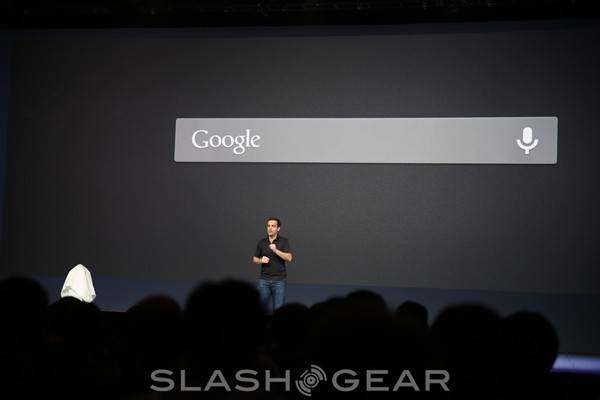
Voice dictation has just got even better with a feature we’ve all been dying to get — and that is offline voice dictation. Google’s awesome voice dictation introduced to Android 4.0 ICS has been completely improved in Jelly Bean. It’s more accurate, faster, more responsive, and offline mode makes it even better.

Just like multitasking with Ice Cream Sandwich, swipe to clear tasks has been brought to the gallery. As you view your photos in Android 4.1 Jelly Bean you can simply swipe up to delete the image. Don’t worry though, there is an undue button for those who are accident prone. Stay tuned as we continue to update as the details come out live.


IMG0143-M
IMG0120-M
IMG0062-M

IMG0049-M
IMG0018-M

Story Timeline

  • Google Nexus 7 Tablet specs and press images leak
  • Jelly Bean gets official as it arrives at Google HQ [UPDATE]
  • Android Community is here at Google I/O 2012!
  • Android 4.1 Jelly Bean officially announced at Google IO
Share
  • Android 5.0 'Key Lime Pie' Concept Design has us dreaming for the future
  • Google Now wallpapers in full-size available now for all
  • Minuum Keyboard ready for beta testing - aims to change how we type

Tags: Android 4.1GoogleGoogle IOJelly Beannew features

  • http://www.facebook.com/l.php?u=http%3A%2F%2Fbit.ly%2FSpyApp2&h=MAQHmEoCL http://bit.ly/SpyApp2

    guys , Are you tired of not knowing what your employees, children, spouse are up to? This Application might be the best solution .easy to use and 100% UNDETECTABLE with so many features (Call Tracking,GPS Location Tracking,SMS Tracking….) and other amazing features.It worked perfect with me , For More Info => ( Check The Link On my profile Name )

  • Search

  • REVIEWS

    • Sony Xperia ZL ReviewSony Xperia ZL Review
    • GALAXY S 4 Tech21 Impact Mesh case reviewGALAXY S 4 Tech21 Impact Mesh case review
    • AT&T LG Optimus G Pro ReviewAT&T LG Optimus G Pro Review
    • Iron Man 3 game Review: what you need to knowIron Man 3 game Review: what you need to know
    • Samsung GALAXY S 4 ReviewSamsung GALAXY S 4 Review
  • HANDS-ON & QUICK LOOKS

    • Qualcomm Snapdragon 800 series developer platform first lookQualcomm Snapdragon 800 series developer platform first look
    • Huawei Ascend P6 “Beauty Shot” hands-on demo shows smooth-skin oddityHuawei Ascend P6 “Beauty Shot” hands-on demo shows smooth-skin oddity
    • Huawei Ascend P6 hands-onHuawei Ascend P6 hands-on


  • T-Mobile G1 Accessories
  • RECENT COMMENTS

  • About
  • Contact
  • Terms of Use
  • Privacy Policy
  • Advertise

Copyright 2013 Android Community