


If there’s one thing that every single smartphone (and ever modern cellphone, for that matter) should have, it’s an alarm system. Even though some may contend that the ability make and receive telephone calls may be paramount, you’ve still got to be awake to talk. There’s an app out there made by Alarm.com that, now that it’s updated, will solve all of your waking up in the morning needs – but more than that, and actually more primary than that, you’ve now got the ability to get information on your kids arriving home from school, floods in your basement, a certain dangerous cabinet in your kitchen being opened, and just about any other needing-alert sort of thing you can imagine!
What you’ve got here is an app that works with your Alarm.com home security system which, if you’re in to keeping your self and family safe, can be a pretty big deal. An app of this magnitude must be both simple and perfectly well-working, and as Alarm.com knows, one mix-up can result in not only a lost customer, but perhaps a lost life as well. Thusly this app must be tight, and with their newest update it must be even tighter, as version 1.3.4 will now push out notifications actively even when the app itself is not open and running.
Your updates will now come, as expected, in real time and will not affect text message counts or rely on your carrier’s messaging gateway in the least. You can use this app for any of the following situations, should you desire. Find out when, as Alarm.com puts it,
• The kids get home from school.
• The handyman arrives and leaves.
• A water leak erupts in the basement.
• The garage door is left open.
• The liquor, gun or medicine cabinet opens.
• The pool gate is left open.
• Someone forgot to turn off the lights.
• The system was disarmed (and by whom)
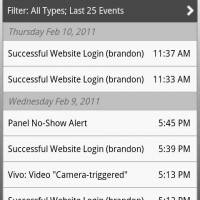
You’ll be able to work with any and all of the following features as well, for those of you unfamiliar with the Alarm.com system:
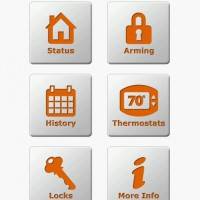
• Check on system status and motion activity at your property.
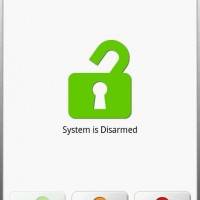
• Remotely arm or disarm your system.
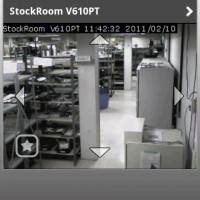
• Watch live video feeds and view stored clips.
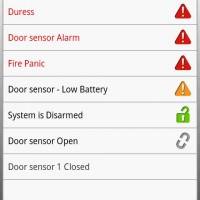
• Access a complete, searchable history of system and alarm events.
• Change your thermostat settings.
• Control the lights at your property.
• Remotely lock and unlock doors.
Sound like the situation for you? Find out everything you need to know from Alarm.com and download the official app from the Android Market!
[via AndroidGuys]








• Remotely lock and unlock doors.
awesome
Best Android Apps 2011