

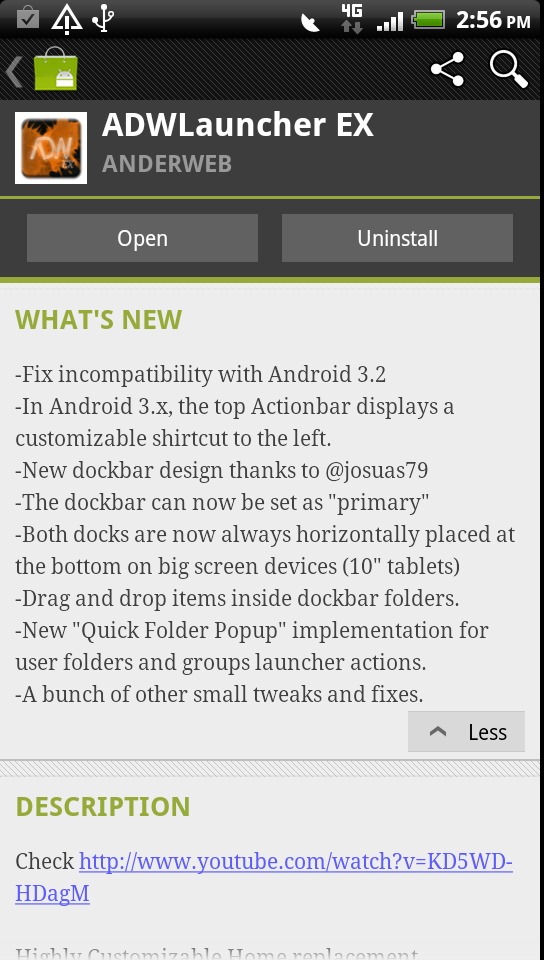
The popular ADW EX Launcher by the one and only AnderWebs has just received its latest update. ADW EX is probably one of the most popular home replacement apps for Android and I’m sure plenty of people are happy to hear this news. He has focused a large part of the update for tablets but there are a few neat new surprises for our phones too.
The latest version had some issues and compatibility problems with the latest version of 3.2 Honeycomb and there were a few small issues when using ADW on the larger displays of tablets. If you have been using ADW EX on your tablet this update will make you especially happy.
What’s New:
-Fix incompatibility with Android 3.2
-In Android 3.x, the top Actionbar displays a customizable shortcut to the left.
-New dockbar design thanks to @josuas79 (Looks great BTW)
-The dockbar can now be set as “primary”
-Both docks are now always horizontally placed at the bottom on big screen devices (10″ tablets)
-Drag and drop items inside dockbar folders.
-New “Quick Folder Popup” implementation for user folders and groups launcher actions.
-A bunch of other small tweaks and fixes.
Note: AnderWebs just posted to Twitter that the “Hide Labels” feature has been broken with thislatest update, and he will issue a fix shortly tomorrow.
I know many people will find a few of these changes to be quite nice. I’ve been using ADW EX for a long time and threw it over HTC Sense UI within the first 5 minutes of powering on my Sensation. The new dockbar design is very nice and gives it a clean and simple look. I prefer it to the old whiteout look personally.
While I’ve never been the biggest fan of Launcher Pro other then a few of the widgets I do like hearing what everyone else uses. So are you a LP Fan, ADW, or are you using the increasing in popularity GO Launcher? Feel free to comment below.
[via Android Market]








I have always liked LP much better
I use Launcher Pro Plus, however, on the Droid X2 there are some serious redraw issues if you’re in another app for a while and you go back to the Home screen. Takes a while for your icons to load.
The Droid X and X2 in general have serious issues with latest OTA lol
Iam using spb shell
LP plus, runs quickly looks clean.. although ADW has more animations i turn them all off anyways
Seems the Hide labels bug is fixed.
Sometimes when I go back to the Homescreen, my dock is enlarged, and the icons are replaced with large plus signs. I’m using a gTablet, with Flashback, i.e. a Honeycomb. I usually have to reboot to fix. Any suggestions? Thanks