

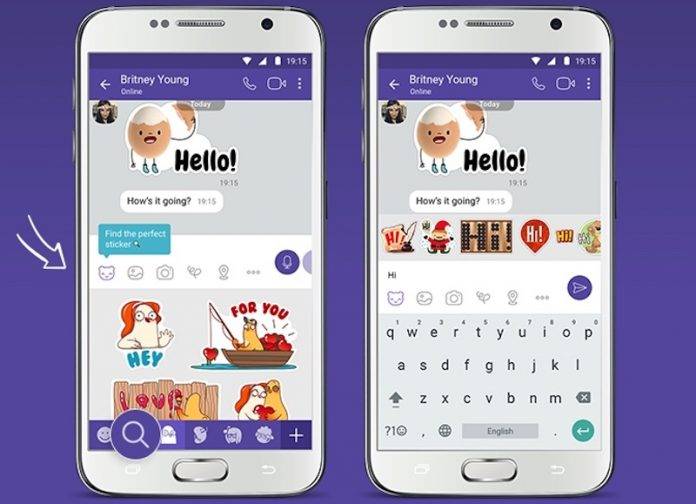
Ask anyone who uses Viber and they’ll probably tell you that one of their favorite things about the app are the cute stickers. But some of them will also probably tell you that finding the right stickers is also one of the most tedious things to do in the app. It looks like they are paying attention to the complaints as the latest update to the messaging app makes it easier to look for the appropriate sticker to incorporate into your conversation.
Previously, the sticker search function was found at the Chat Extension Menu and it will take you a few extra steps before you can search for the sticker you’re looking for (and sometimes the moment is lost). But now they’ve moved it directly to the sticker menu. You don’t need to use @stickers anymore to launch the search feature. Just tap on stickers and you’ll see the search button at the bottom. Type your keyword and it will show you the various options.
It will also be a bit easier to search for GIFs as there is a GIF section next to the sticker one. You can switch between stickers and GIFs when you do your search to make your conversations more millennial, uh, we mean interesting. The sticker search function is also now available in Russian so say “Spasibo” to Viber.
You can update your Viber to the latest version to be able to enjoy this easier sticker and GIF search. Check its Google Play page to see if the update has rolled out to your account already.







