


One of the greatest joys (or most annoying) things about the Tumblr social network is the presence of various GIFs that are either the perfect answers or reactions to certain posts or actual posts themselves. But previously, you’d have to be on a desktop just to be able to add these funny and appropriate/inappropriate images. The latest update to the Android app now brings you the ability to add GIFs to both your posts and your reblogs.
The update is pretty straightforward enough. You now have GIF button on your mobile app and if you feel like adding something to your post or when you’re reposing something you like on the social network, you only have to press that button and you’ll have access to Tumblr’s extensive network/library of hilarious, cute, scary, or cool GIFs. Just search for whatever it is you’re looking for moving-image wise, and most likely they will have that or something similar to that.
Tumblr’s last update added several new features, including Send-A-Post which allowed you to send as a private message a post to anyone on Tumblr. Instant Messaging on the social network also became a thing, and you could fling a message at anyone through the paper plane icon.
Letting you add GIFs through your Android device i slowly rolling out to Tumblr users. If you don’t see it yet, don’t panic just yet and just prepare yourself for when you can finally post a GIF of a panicking dog or cat or something.
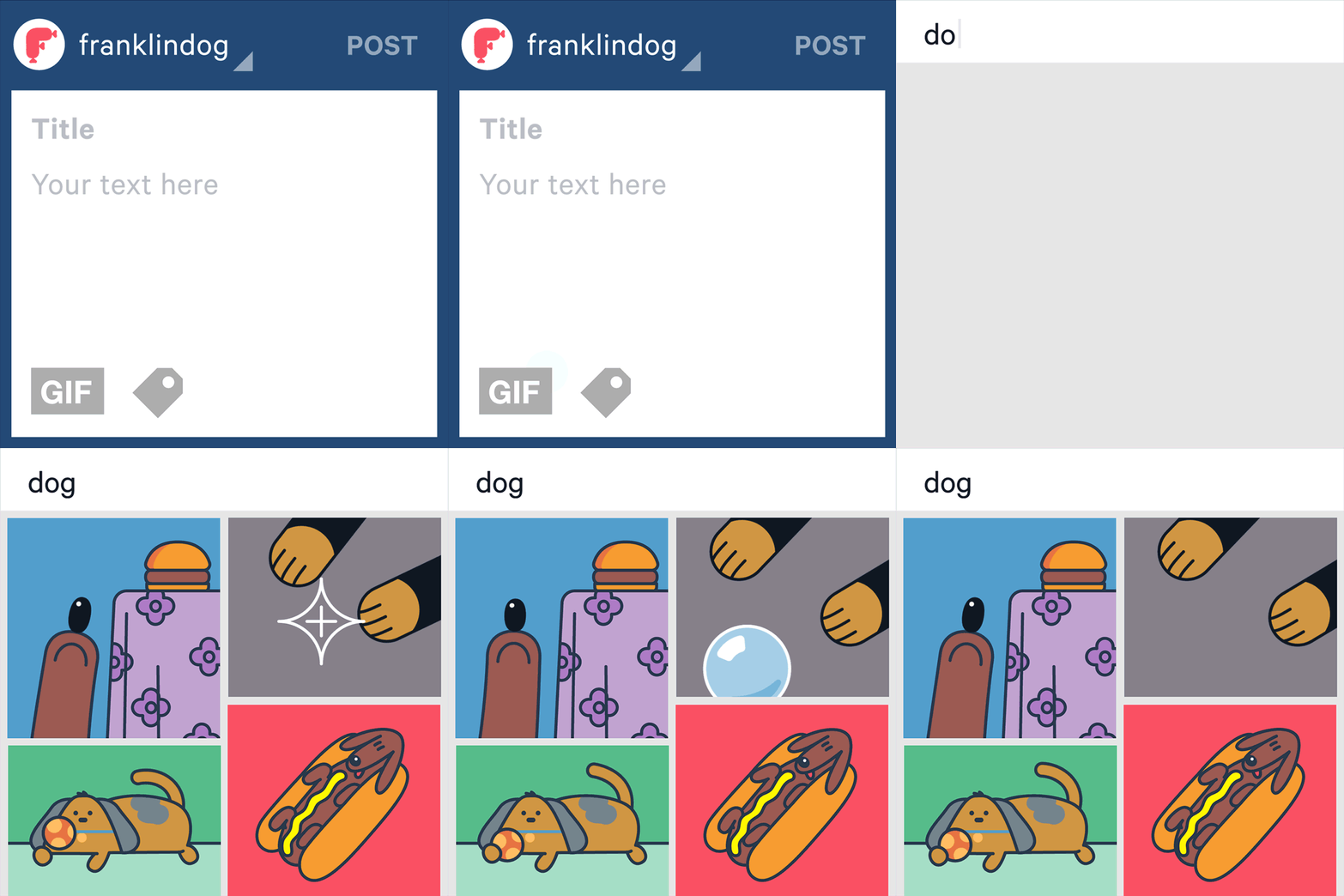
SOURCE: Tumblr







