

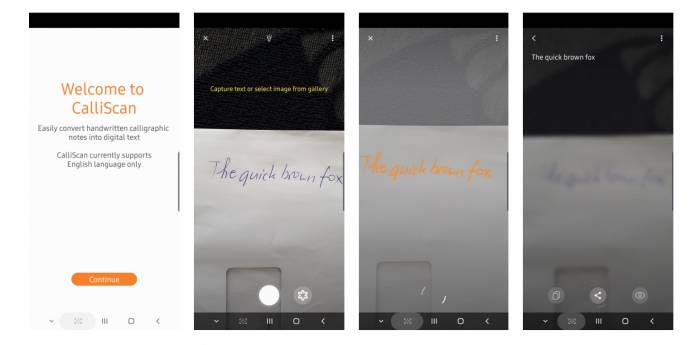
If you like to start digitizing your handwritten notes, there are already several apps out there that can do that for you. Samsung has now released a new app that will be able to convert those written notes to text. While it’s pretty basic and functional, CalliScan can be pretty useful for you if you have notes that need to be saved and archived but you don’t have the time to type them out one by one. However, the app seems to still not be working at its peak powers and needs a lot of improvement.
As SAM Mobile pointed out, Samsung actually doesn’t need to come up with this app since Bixby Vision already has a functionality like this. But here we are with CalliScan, which will probably be more of use for Samsung devices that don’t have Bixby on their devices. But if you already have Bixby Vision, there is no need for this app unless you really want a separate app to do that for you.
If that’s the case, then CalliScan should work for you but only if you have pretty legible handwriting. You’ll get a camera viewfinder, a gallery shortcut, and an optional flash. You can take a photo of the document you need digitized or import an existing photo of the handwritten note. It will then convert it into text then if you need further enhancements, there is an option to edit it. And then of course, if you need to share it, you’ll be led to the Android share sheet.
But as we said, the app’s scanning powers isn’t all that powerful. Or maybe when we tried it out, our penmanship is something that the app cannot fathom. But even when we tested it by scanning actual text and see if it can translate it to text, there were still a lot of errors. And currently, it only supports English so the app has a lot of limitations.
Still if you want to give it a try, you can download it for free from the Google Play Store. But if your phone supports Bixby Vision, we suggest you stick to that.







