

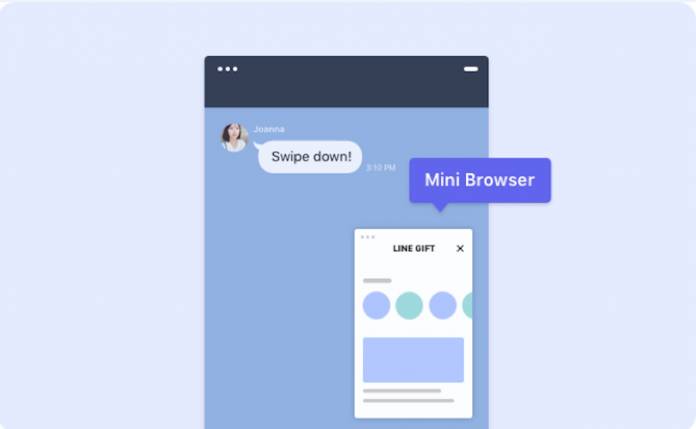
When you’re chatting with a friend or a family member and you need to browse something that you’re talking about or you need to multi-task on a browser, you would normally just switch from one app to another. But if you could chat and browse on the same window, you would want to right? LINE Labs, the beta program for the LINE messaging app is now introducing a picture-in-picture mini browser so you can chat and browse to your heart’s content within the app itself. However, this seems to be testing on iOS only for now.
The feature is called Mini Browser and it lets you do all your browsing even while you’re still on the LINE app. You’ll need to have LINE Labs turned on to be able to use this feature. Tap on a link in one of your chats to open a browser and then swipe down on it to shrink it and it will turn into a mini browser.
If you tap on the browser, it will display the button to bring it back to its natural size or tap on the X to close it. You can also drag it to wherever you want to place the browser on your chat screen. So whether you’re doing it as part of your conversation or you just want to be able to browse while chatting with a loved one or a colleague.
You will, of course, need to update your LINE app to the latest version and then enable LINE Labs so you can try out the mini browser as well as any other beta features that they will be bringing to the app. As to when it will be available for Android, we don’t know yet at this point but as always we’ll keep you updated.







