

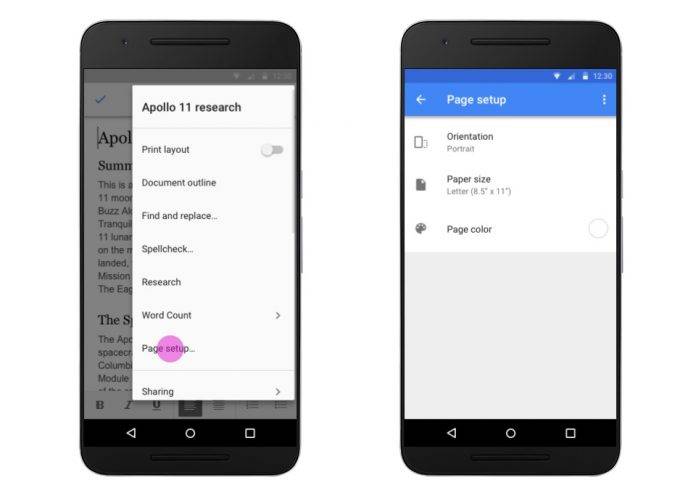
If you’re a huge Google user, updates to any of their apps that you constantly use is always welcome, even if sometimes the updates are just minor or too small to even celebrate. But they’re still welcome of course. Google Docs, Google Sheets, and Google Slides have all received some new features in their latest versions, including the ability to edit the page setup options, as well as support for ODF and epub file exporting, and other small details, all of which aim to make it easier for you to do things while on the move.
It’s sometimes frustrating that the things you can do on the desktop version, sometimes you still can’t do on the mobile app. But Google is slowly but surely changing that. This time around, you can now change some things in the page setup of the Docs app, particularly the page orientation, paper size, and page color. As for the Sheets app, you can now use the IMAGE function so you can view the images that were inserted inside of the cells.
If you would like to export your documents into an EPUB (.epub) or OpenDocument Text (.odt) file and also import the OpenDocument Text files form Android. You can also now import and export the OpenDocument Spreadsheets (.ods) and OpenDocument Presentations (.odp). All of these new features are available when your device is online. An error saying “Data connection needed to open this file type” will appear if you don’t have any connection.
The updates to the G Suite apps are rolling out already but it might take 1-3 days for full visibility to take effect. You can check if it’s already available by going to their respective Google Play pages.
SOURCE: Google







