

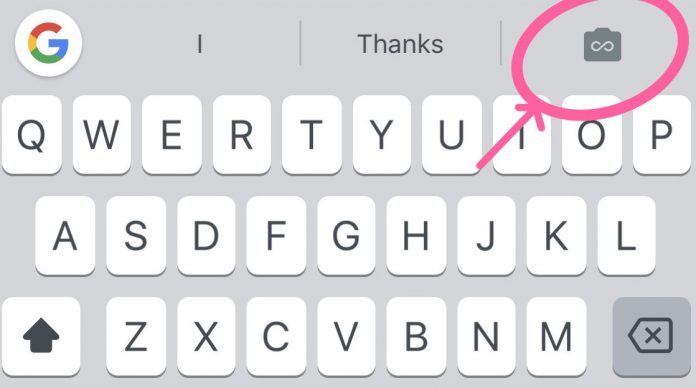
GIFs are not new to Google’s official virtual keyboard Gboard. Aside from easily looking through their library of GIFs, they also added a GIF-making feature behind the emoji button at the bottom. But an upcoming update to the keyboard will bring the button right next to the word suggestion bar, so it will be much easier to use your front and back camera to record crazy facial expressions and turn them into fun GIFs to send to your friends.
There are two ways to record your own GIFs from the Gboard option. One is called the “Loop” where you can record yourself or whatever it is that you want to take a GIF of for three seconds. It will then loop itself, kind of what Instagram’s Boomerang does. The other mode is called “Fast-Forward” and you can record up to one minute and then it speeds it up to create your GIF.
After you’ve recorded your GIF to your satisfaction, yip can then copy and paste it onto your message through the Gboard and then send it to your friends through whatever app you’re using at the moment. Because the button is now placed prominently on the virtual keyboard, users might use it more often than when you needed a few more steps to go to the GIF-creating section.
However, it looks like the Gboard update hasn’t rolled out yet to Android devices. But for GIF-loving people, hopefully, it will be soon so they can start doing their loops and fast-forwards.
VIA: The Verge







