

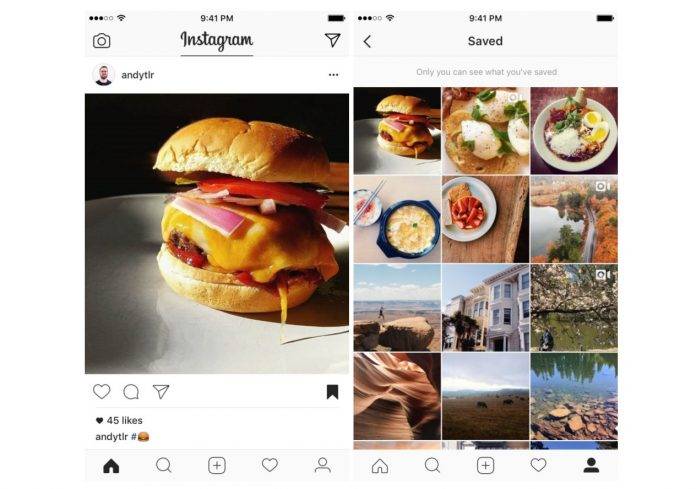
We’ve all been there before. You’re scrolling through your Instagram feed and you see a picture that you would like to save. However, the only way you can actually do it is by taking a screenshot of said picture, saving it in a folder on your device so you can go back to it later. The latest update to the photo sharing app still doesn’t let you save photos or videos, but it gives you the next best thing and that is to give you the ability to save posts.
So you still won’t be able to actually save the photos onto your gallery or camera roll, but at least now, you’ll be able to bookmark posts that you want to go back to later on. You’ll see a bookmark icon under all the posts on your timeline and if you see something that you want to save, either for watching later if it’s a video or a photo that you want to use as a peg for a project, then click that icon.
If you’re worried that the original poster will be able to know that you bookmarked their post, Instagram promises that there’s no way for them to know that you’ve saved their post. If you want to view all your saved posts, just go to your profile page and then click on the bookmark section that’s beside the photos of you icon. Again, only you will be able to see all these saved photos.
Version 10.2 of the Instagram app has the ability to run this bookmarking feature and it is rolling out to all Android users soon. We’d still prefer a save photo to your camera roll feature, but hey, this is still better than the screenshot and save in folder method.
SOURCE: Instagram







