

• Home
  • Reviews
  • Featured
  • Archives
  • Videos
  • Devices
  • Tegra
  • Send Tips
  • Contact
  • AndroidCommunity on Twitter AndroidCommunity on Facebook AndroidCommunity on Google+ AndroidCommunity RSS Feed

Android Community

    • MUST READ

      STORIES

    • ASUS Padfone Infinity rumors point towards a U.S. release

      May 22, 2013

    • Google invites #ifihadglass applicants to try Google Glass

      May 22, 2013

    • Google Play Magazines updated with card UI to match Google Music

      May 22, 2013

  • Trending Topics
  • Jelly Bean
  • NVIDIA
  • Galaxy S 4
  • HTC One
  • Nexus 7
  • Sell Your Used Phone

Want to make Opera Mini 5 your default Browser?

0
  • By David Junior
  • on 22 Apr, 2010

Want to make Opera Mini 5 your default Browser?

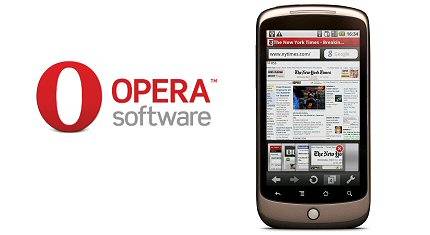
Since the release of this lightning quick browser for Android, many users wanted to use this as their default browser. I don’t really know why Opera didn’t add this feature to the app but you couldn’t do it. There is now an app that will make this possible.


The app is called OperaBridge, it allows you to use the Opera browser for loading links. But there’s a catch, every time you click a link from outside of Opera, it has to start Opera Mini’s loading screen that adds about half a second to your wait. This is a small price to pay if you love using this browser.

Here’s how to do it:

• Download Opera Mini 5
• Download OperaBridge from the Android Market
• Click a web link on the phone and a window should come up saying “Complete action using”
• Select the “Use by default for this action” radio button
• Press OperaBridge

[via andronica]

Share
  • Samsung Galaxy Note 3 with Android 4.3 spotted in benchmark results
  • Verizon HTC One running Android 4.2.2 could be coming soon
  • Verizon HTC One tipped for CTIA event unveiling

Tags: Appdefault browsermarketOperaopera browserphonePre

  • Search

  • REVIEWS

    • AT&T LG Optimus G Pro ReviewAT&T LG Optimus G Pro Review
    • Iron Man 3 game Review: what you need to knowIron Man 3 game Review: what you need to know
    • Samsung GALAXY S 4 ReviewSamsung GALAXY S 4 Review
    • Samsung Galaxy Note 8.0 ReviewSamsung Galaxy Note 8.0 Review
    • Pebble review: Two weeks with a smartwatchPebble review: Two weeks with a smartwatch
  • HANDS-ON & QUICK LOOKS

    • Coolpad Quattro II 4G and 8920 hands-onCoolpad Quattro II 4G and 8920 hands-on
    • Kyocera Hydro XTRM and EDGE hands-onKyocera Hydro XTRM and EDGE hands-on
    • Opera for Android exits beta, we go hands onOpera for Android exits beta, we go hands on


  • T-Mobile G1 Accessories
  • RECENT COMMENTS

  • About
  • Contact
  • Terms of Use
  • Privacy Policy
  • Advertise

Copyright 2013 Android Community






