

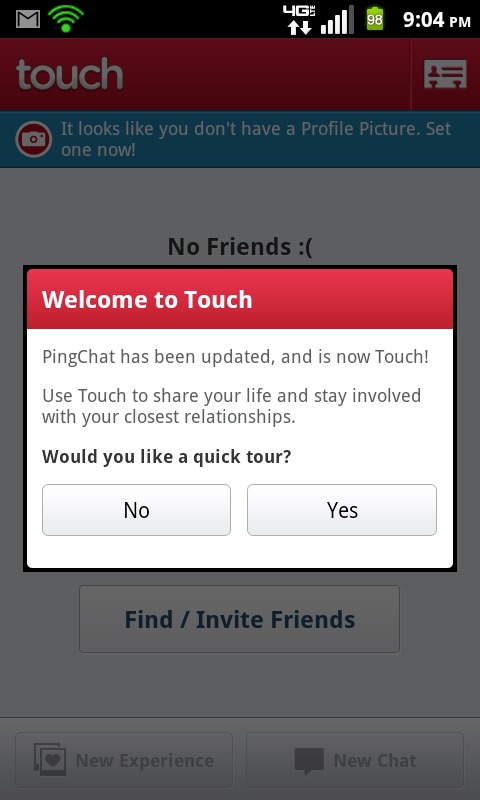
There have been many messaging applications hitting the Android Market lately, but Touch by Enflick Inc. aims to remove the boundaries of one dedicated OS and offer their software to everyone. It had evolved from its former application PingChat! and taken its previous users with them. If you haven’t converted already, simply install Touch and log in with your previous PingChat! credentials. Like the Facebook Messenger standalone application, Touch is practically instant, is data driven, and even tells you when a friend is typing to you. Other than having an extremely smooth interface, Touch really makes multiple conversations a joy to navigate through.
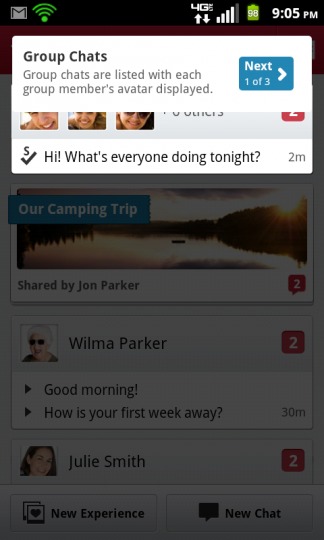
Instead of simply stacking your threads with different contacts, Touch creates a “wall-like” user interface. It consists of “Experiences” and general instant messaging content. The Experiences are essentially photos that can be instantly taken from your device’s camera or uploaded straight from your internal storage. If you’re an avid Facebook Messenger or GroupMe fan, then you’ll see much of the same functionality, but in a different layout. Just like Google+ Hangouts, you’ll find the ability to group chat within Touch as well.
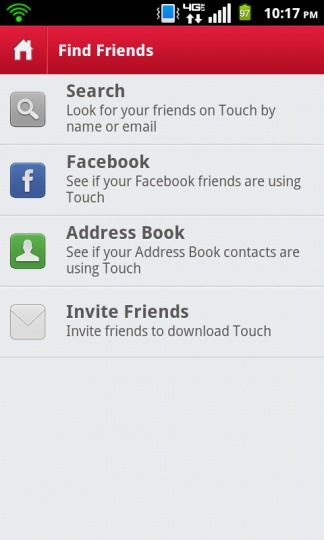
The real deal when using instant messaging applications is to make sure finding friends is easy, and fortunately Touch does this very well. There are four options for finding friends. The first is rather simple – just search for friends by their Username or E-Mail address. If it doesn’t exist, then the application prompts you to send out an invitation. Could it get any easier? Yes. By logging into Facebook within the application, users can tell who does and doesn’t have Touch installed. Finally, Touch can index your device’s address book for contacts that currently have it installed; though many applications (like Tango) have this as a primary feature, Touch universally searches among Android OS, Apple iOS, and BlackBerry OS.
The features provided through Touch are quite polished, yet a few others would make the application stand out even more. With such strong competition with Facebook Messenger, Google Talk, and GroupMe – it’s important to give people a reason to convert. The first feature that may need a little broadening is Experiences. Touch users should not only be able to upload photographs, but also video content and their general location. It may be a stretch, but integrating Twitter and RSS feeds would fall in excellently within the layout. Though it doesn’t directly use their messaging service, it would draw a wider audience unto their application. Finally, it would be beneficial to have a desktop messaging client accessible through one’s browser.
Overall, I definitely recommend giving Touch a try – it works extremely well and has plenty of features to make social messaging fun. From a usability standpoint, it didn’t lag at all and was extremely responsive. However, on our Galaxy Nexus running Android 4.1 (Ice Cream Sandwich) the app force closes. This shouldn’t be too much to worry about, as I foresee an update right around the corner.












Does Touch support Android TABLET? It’s said to be incompatible with Huawei MediaPad; seems to be the same case with Whatsapp messenger as it doesn’t show up in Google Play Store (“market”).
Hello… anybody knows how to change my nick name? i have HTC ONE V. My friends changed nick names and id like change it too 🙁 but i cant the same way like they on samsung. could u help me a little, please…
I can’t search by name. Says “something went wrong”.