


The guys at Swype have just released the latest version of the popular 3rd party keyboard for Android. Many new features are included with this latest beta (v3.0) and some of those include predictive tap as well as Honeycomb support for you tablet users. The tablet version can even be re-sized as well as moved to left, right or center screen for your convenience. We have all seen or used Swype for our phones so I took a few photos using it on my Honeycomb tablet just to show you all.
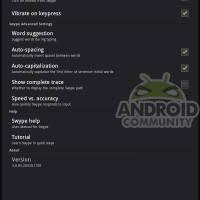
The new beta v3.0 for Honeycomb is what I gave a whirl, or Swype I should say. You can find more information as well as sign up for the beta here. They have introduced a new predictive tap feature where you can go from Swyping to typing regular and back quickly and easily and still have the amazing Swype predictive suggestions when typing instead of swyping. They have also improved the auto-correct as well as the pop-up menu for word suggestions, it no longer pops up on the screen to interrupt you, instead its listed horizontal just like the stock android does and it stays out of your way. You can read all about the new features in the link above, for now it is time to show you the Honeycomb version.

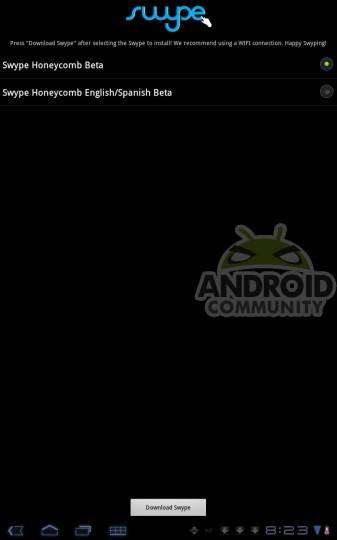
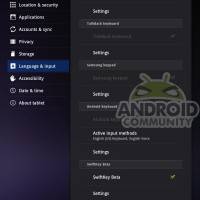
Everything was really simple, you send the invite email and download the Swype Installer and it does the rest for you from there. It even directs you to enable to Swype keyboard and change the input method. Makes the entire change quick and easy.

First off I am impressed by the new Honeycomb keyboard. It is large and looks great on the Tab’s 10″ display. Swyping was decently fast and smooth overall but I did feel that regular tap typing was a little slower than were used to, but then again this is still in beta. The keyboard takes more than half of the screen in landscape mode so you have plenty of room to type even for those with big hands. One tap of the settings and the keyboard becomes much smaller and you can easily move it from side to side. This is super convenient for those on Twitter or checking there Facebook page as the keyboard no longer takes up all that screen real estate.
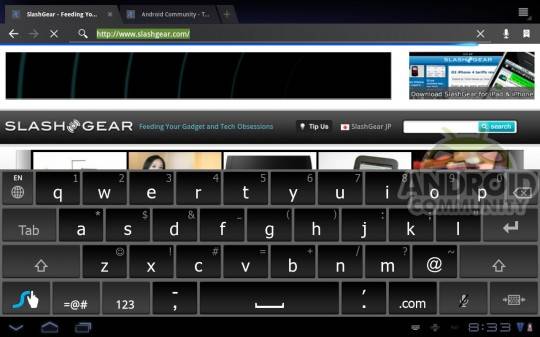

Moving the keyboard is just as simple as moving a widget on Android, push and hold the sides and move it when your ready, it doesn’t get any easier than that but I’d like to be able to send it to all four corners just to have the option if the moment presents itself. Overall I really like it for Honeycomb and I can see myself using this as my day to day keyboard, that is for sure. Check out the videos from Swype and the rest of my photos in the gallery below.








[via Swype]








Swipe 3.0. . . stoke it and poke it! lmao!