TouchType LTD’s replacement keyboard, SwiftKey, has been a fairly big hit. Swiftkey offers, what many consider, improved prediction and accuracy when typing with its virtual keyboard. TouchType has been working on a new version, SwiftKey X. The beta version for phones is available for free in the Android Market, but for those in TouchType’s beta program, a shiny new version for phones and tablets has been released. With the update comes your standard batch of “improvements,” as well as a few new features.
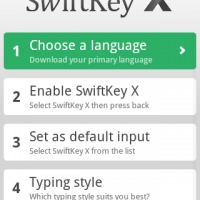
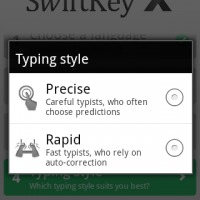
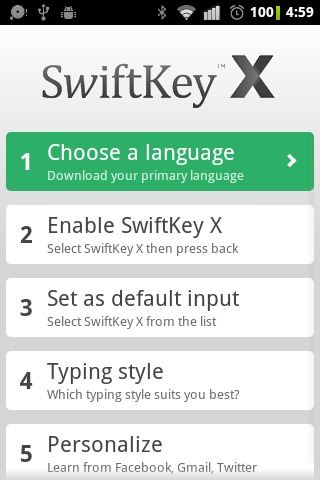
The first of the new features is an improved install UI, as seen in the pic above. It walks the user through setting up their new SwiftKey keyboard, and making it as the default text input method. This new installation process is fairly straight forward and helps avoid the hassles of digging through your settings after installation.
The Honeycomb version of Swiftkey brings its famed accuracy and predictions to a split keyboard style, similar to the Thumb Keyboard. As many users of Thumb Keyboard will tell you, it makes typing while holding the keyboard in a horizontal orientation much easier. Unfortunately the tablet version is not available on the market yet, but when it does be sure to check it out.
Change Log
New features:
– installer and setting UIs;
– reworked large portrait and landscape layouts;
– addition of secondary characters to layouts.Improvements to:
– the keyboard which address several of the typing issues found in the previous release;
the usability of the personalization functionality, particularly with regard to issues with Gmail and Google Apps;
– typing accuracy and spelling correction;
– status notifications, particularly during personalization;
-the usability of the installation process;
– the shortcut launcher (particularly in landscape and on larger devices);
– the preferences and language settings UI;
– general performance, responsiveness and power consumption.Bug fixes
– Repeated characters (“DoubleDouble”) bugs are now fixed for the most part. There are still some application-specific problems (see Known Issues).
– No more flickering on Gingerbread devices.
– Web search fields now behave correctly.
– Fixed a bug where occasionally the installer got stuck in a loop.
– Language states and summaries now update correctly.