• Home
  • Reviews
  • Featured
  • Archives
  • Videos
  • Devices
  • Tegra
  • Send Tips
  • Contact
  • AndroidCommunity on Twitter AndroidCommunity on Facebook AndroidCommunity on Google+ AndroidCommunity RSS Feed

Android Community

    • MUST READ

      STORIES

    • Intel-powered Galaxy Tab 3 leaked in benchmarks

      May 21, 2013

    • Samsung Galaxy Note 3 with Android 4.3 spotted in benchmark results

      May 21, 2013

    • Verizon HTC One running Android 4.2.2 could be coming soon

      May 21, 2013

  • Trending Topics
  • Jelly Bean
  • NVIDIA
  • Galaxy S 4
  • HTC One
  • Nexus 7
  • Sell Your Used Phone

SwiftKey 3 beta update improves features based on user feedback

1
  • By Cory Gunther
  • on 3 May, 2012

SwiftKey 3 beta update improves features based on user feedback

Now that all the Samsung news has calmed down this morning lets talk about keyboards. The popular SwiftKey keyboard has just received another update today for those who take part in their VIP beta. After we announced the new SwiftKey 3 last month, today they’ve added tons of user-requested features and once again improved on their ever so popular layout.

While Swiftkey X is still the version in the Google Play Store, you can get the new SwiftKey 3 from their VIP forums by signing up here. Then you’ll be able to enjoy the all new design, improved prediction, and great user interface that comes with SwiftKey 3. It looks like things are moving along great in the VIP Beta because the update today brings a handful of fixes and user-requested changes. Here’s the full change-log from SwiftKey.

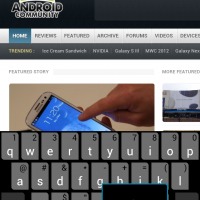
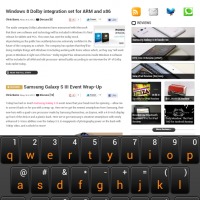
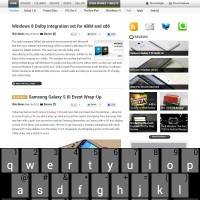
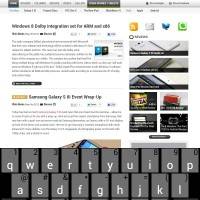
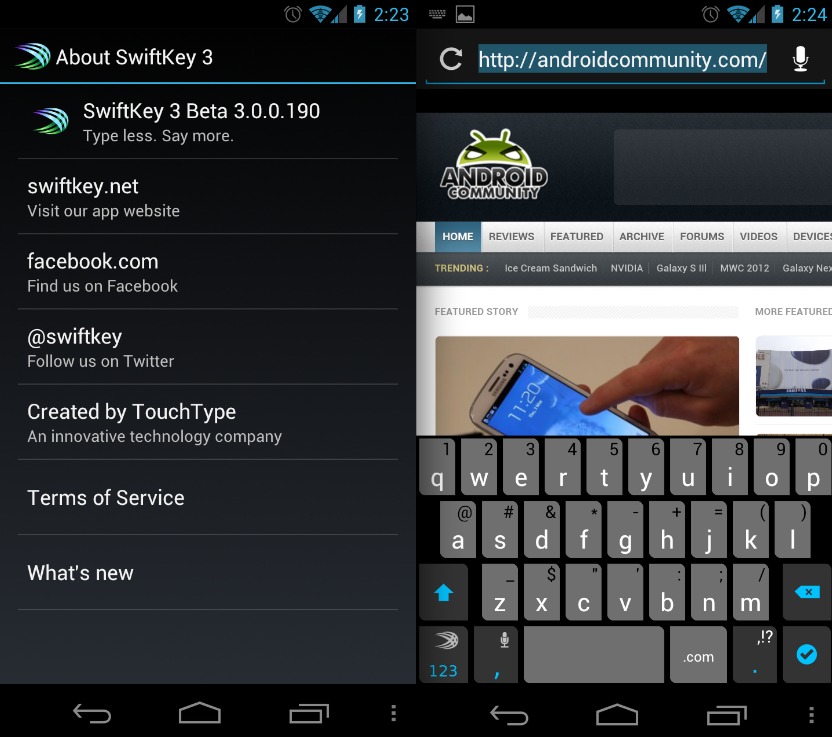
-Improved the UI: there is now a dedicated comma key, and the <123> key is now in the bottom-left corner. And of course you still have the larger spacebar.
-Refined the Smart Punctuation pop-up.
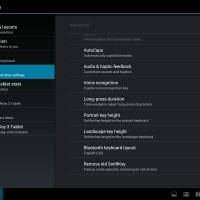
-Reintroduced the Long-press duration setting.
-Improved Smart Space functionality.
-Further reduced lag on some devices.
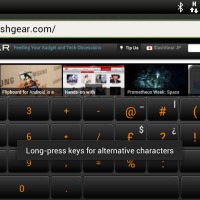
-Fixed a number of bugs, including the missing decimal point in the numpad and the “What’s New” dialog popping up all the time.

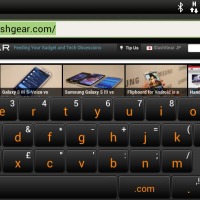
They’ve moved the 123 button to the bottom left and replaced it with a dedicated comma button — which makes sense. They also improved the smart punctuation pop-up as many weren’t too pleased with the previous implementation although it doesn’t feel too different if you ask me. My main problem was some lag, and the punctuation popup sticking on-screen and both of those have been improved. Things are fast, fluid, stable, and makes typing a breeze. Things are looking pretty good right about now and I’m expecting this to be released to the public here soon.

I particularly like the new .com/.net/.tv shortcut on the keyboard. Very handy. For VIP members get the latest beta version of SwiftKey 3 by clicking here.
Screen Shot 2012-05-03 at 2.49.19 PM
Screenshot_2012-05-03-14-25-50
Screenshot_2012-05-03-14-27-12

Screenshot_2012-05-03-17-06-23
Screenshot_2012-05-03-17-05-55
Screenshot_2012-05-03-17-05-41

Screenshot_2012-05-03-21-54-47
Screenshot_2012-05-03-21-54-35
Screenshot_2012-05-03-21-52-53

Screenshot_2012-05-03-21-53-30
Screenshot_2012-05-03-21-54-53
Screenshot_2012-05-03-21-51-45


Story Timeline

  • SwiftKey X Lauching Today for Phones and Tablets, We go Hands-On
  • SwiftKey X Alpha gets multi-touch support, VIP users try it early
  • Swiftkey X Beta brings better tablet support, we go hands-on
  • SwiftKey keyboard developer raises $2.4 million from investors
  • Swiftkey X updated with slew of bug fixes -- now even better
  • SwiftKey passes 5 million downloads, on sale this weekend only
  • SwiftKey 3 hits beta with new UI - We go hands-on
Share
  • Student wins science fair with 30-second phone battery charger
  • Verizon HTC One reality returns as DROID DNA offer pops up
  • Samsung Galaxy Note 3 with Android 4.3 spotted in benchmark results

Tags: betakeyboardsmartphoneSwiftKeySwiftKey 3Update

  • Salmanlk

    Is Swiftkey has swap support?

  • Search

  • REVIEWS

    • AT&T LG Optimus G Pro ReviewAT&T LG Optimus G Pro Review
    • Iron Man 3 game Review: what you need to knowIron Man 3 game Review: what you need to know
    • Samsung GALAXY S 4 ReviewSamsung GALAXY S 4 Review
    • Samsung Galaxy Note 8.0 ReviewSamsung Galaxy Note 8.0 Review
    • Pebble review: Two weeks with a smartwatchPebble review: Two weeks with a smartwatch
  • HANDS-ON & QUICK LOOKS

    • Opera for Android exits beta, we go hands onOpera for Android exits beta, we go hands on
    • NVIDIA Tegra 4i demos i500 LTE modem on Cat 4: 150Mbps of speedNVIDIA Tegra 4i demos i500 LTE modem on Cat 4: 150Mbps of speed
    • HP Slatebook x2 Tablet hands-onHP Slatebook x2 Tablet hands-on


  • T-Mobile G1 Accessories
  • RECENT COMMENTS

  • About
  • Contact
  • Terms of Use
  • Privacy Policy
  • Advertise

Copyright 2013 Android Community