

• Home
  • Reviews
  • Featured
  • Archives
  • Videos
  • Devices
  • Send Tips
  • Contact
  • AndroidCommunity on Twitter AndroidCommunity on Facebook AndroidCommunity on Google+ AndroidCommunity RSS Feed

Android Community

    • MUST READ

      STORIES

    • Kazam created by ex-HTC execs, aimed for European market

      June 17, 2013

    • Samsung Galaxy NX Android Camera press images revealed

      June 13, 2013

    • Android Key Lime Pie slated for October release according to insider

      June 12, 2013

  • Trending Topics
  • Jelly Bean
  • NVIDIA
  • Galaxy S 4
  • HTC One
  • Nexus 7
  • Tegra
  • Sell Your Used Phone

SugarSync 2.0 for Android beta now available

1
  • By Robert Nelson
  • on 14 Dec, 2012

SugarSync 2.0 for Android beta now available

SugarSync announced the 2.0 beta back in mid-November. Current users have had the option to upgrade to the new (still in beta) versions on the desktop and the web and as of today, you now have the option to run the beta app on your Android handset. The one catch, the app is not yet available from Google Play and instead will need to be downloaded and sideloaded.

ss-2and3-red

That being said, for those not as familiar with the SugarSync 2.0 update, it arrived as a complete redesign that according to SugarSync, had “one burning goal for the redesign – improved ease of use.” And well, similar to the beta release of SugarSync 2.0 for the desktop and web, the Android app has a completely new look.
ss-5and6-red

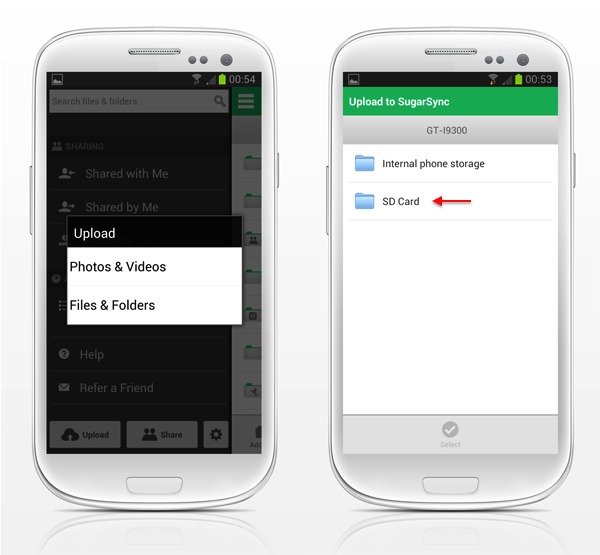
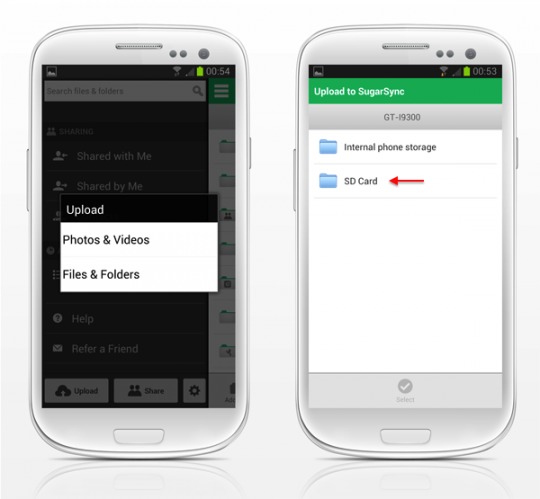
Anyway, back to the beta Android app. Those choosing to use this release can grab the APK from SugarSync (link below) and will notice changes to include Cloud Search, a redesigned photos tab, the ability to upload and sync files from your SD card and a “simple and modern navigation.” In short, you will be getting new features and a new look.

Furthermore, as this release is still in beta — it is not yet complete. That can mean that you may see an issue or two, but perhaps more important is that it also means more features will be introduced. So far SugarSync has also promised that they will be adding the ability to upload files to SugarSync directly from other Android apps, the ability to search shared folders, a list of recent activity and some performance improvements.

Story Timeline

  • SugarSync for Android automatically backs up images
  • SugarSync updated, now syncs videos to your PC automatically
[via SugarSync]
Share
  • iOS 7 has popular Apple hacker eying switch to Android
  • BlackBerry Messenger for Android coming June 27
  • iOS 7 "parallax effect" on Android: 3D Image Live Wallpaper available now

Tags: Androidbetabeta releasecloudcloud storageGoogleSugarSync

  • ComputerPhil

    I prefer GoodSync and think it is the best all around solution, it allows you to sync with local storage as well as any third party cloud storage service in use. The GoodSync Connect feature also allows you to access local storage on your computers remotely. there are just more options and more control with GoodSync.

  • Search

  • REVIEWS

    • Sony Xperia ZL ReviewSony Xperia ZL Review
    • GALAXY S 4 Tech21 Impact Mesh case reviewGALAXY S 4 Tech21 Impact Mesh case review
    • AT&T LG Optimus G Pro ReviewAT&T LG Optimus G Pro Review
    • Iron Man 3 game Review: what you need to knowIron Man 3 game Review: what you need to know
    • Samsung GALAXY S 4 ReviewSamsung GALAXY S 4 Review
  • HANDS-ON & QUICK LOOKS

    • Nyko Dock for NVIDIA SHIELD hands-onNyko Dock for NVIDIA SHIELD hands-on
    • Nyko NVIDIA SHIELD gaming accessories hands-onNyko NVIDIA SHIELD gaming accessories hands-on
    • Falcon Pro 2.0 adds multi-account support, new color theme [Hands-On]Falcon Pro 2.0 adds multi-account support, new color theme [Hands-On]


  • T-Mobile G1 Accessories
  • RECENT COMMENTS

  • About
  • Contact
  • Terms of Use
  • Privacy Policy
  • Advertise

Copyright 2013 Android Community







