

• Home
  • Reviews
  • Featured
  • Archives
  • Videos
  • Devices
  • Tegra
  • Send Tips
  • Contact
  • AndroidCommunity on Twitter AndroidCommunity on Facebook AndroidCommunity on Google+ AndroidCommunity RSS Feed

Android Community

    • MUST READ

      STORIES

    • Android 4.3 leaks on video with new camera UI

      May 24, 2013

    • AT&T GoPhone users can now get HSPA+ and LTE speeds

      May 24, 2013

    • New Gmail for Android spotted in IO session video

      May 24, 2013

  • Trending Topics
  • Jelly Bean
  • NVIDIA
  • Galaxy S 4
  • HTC One
  • Nexus 7
  • Sell Your Used Phone

Sprint SDK for HTC EVO 4G teaches devs to use front video cam, HDMI, more

0
  • By Chris Davies
  • on 24 Mar, 2010

Sprint SDK for HTC EVO 4G teaches devs to use front video cam, HDMI, more

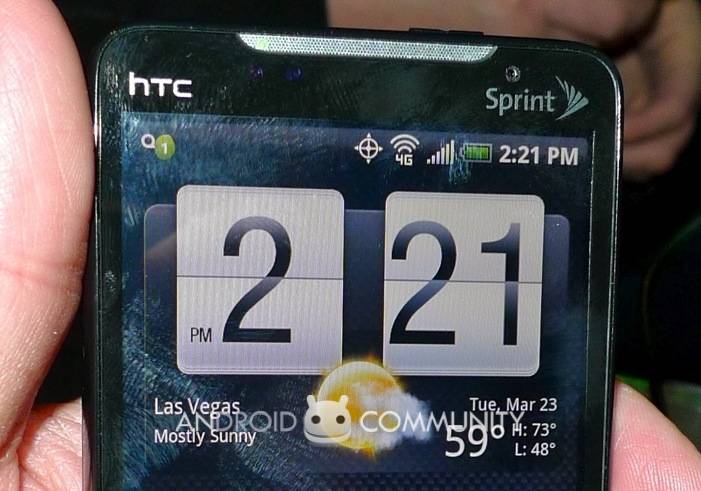
In among the WiMAX excitement, the HTC EVO 4G‘s front-facing 1.3-megapixel camera perhaps didn’t get the fanfare it deserves.  A first for an Android device, the camera paves the way for video calls; problem is, Android as it stands isn’t video call friendly.  Happily Sprint – a member of the OHA, as they’ll happily remind you – is stepping up with a new 4G developer guide intended to show Android devs how to deal with the EVO 4G’s hardware capabilities.

A Sprint 4G developer guide is available today from the Sprint ADP Web site http://developer.sprint.com. The Sprint 4G developer guide explains how to develop on an Android 2.1 handset and how to take advantage of 4G and unique hardware/software capabilities, including how to use a forward-facing camera in an app; how to use HDMI output; and how to build in network detection (3G, 4G or Wi-Fi) to optimize quality of data in an app. The Sprint 4G developer also will include sample apps and source code that highlight these features. It will supplement the Android 2.1 SDK

As well as the front-facing camera – the higher than normal resolution of which seems intended for bandwidth-heavy video-over-IP chats than it does regular cellular video calling – the new guide addresses the HDMI output and network identification.  The latter is particularly important, as it gives an app the ability to differentiate between 3G, 4G and WiFi networks, and potentially adjust data use accordingly.  For instance, a streaming media app – such as Sling Player – could automatically increase video resolution when it knows it’s on a 4G versus a 3G connection.

The SDK and other tools – together with guides and other development details – are available here.  For more on the HTC EVO 4G, meanwhile, check out our hands-on video.

Share
  • Samsung Galaxy Note 3 with Android 4.3 spotted in benchmark results
  • Verizon HTC One "will be announced later"
  • New Nexus 7 reportedly shipping now, launching next month

Tags: 4gCarriersdevelopersEVO 4GEVO 4G AccessoriesEVO 4G CaseshtcHTC EVO 4GSDKSprintWiMAX

  • Search

  • REVIEWS

    • AT&T LG Optimus G Pro ReviewAT&T LG Optimus G Pro Review
    • Iron Man 3 game Review: what you need to knowIron Man 3 game Review: what you need to know
    • Samsung GALAXY S 4 ReviewSamsung GALAXY S 4 Review
    • Samsung Galaxy Note 8.0 ReviewSamsung Galaxy Note 8.0 Review
    • Pebble review: Two weeks with a smartwatchPebble review: Two weeks with a smartwatch
  • HANDS-ON & QUICK LOOKS

    • Coolpad Quattro II 4G and 8920 hands-onCoolpad Quattro II 4G and 8920 hands-on
    • Kyocera Hydro XTRM and EDGE hands-onKyocera Hydro XTRM and EDGE hands-on
    • Opera for Android exits beta, we go hands onOpera for Android exits beta, we go hands on


  • T-Mobile G1 Accessories
  • RECENT COMMENTS

  • About
  • Contact
  • Terms of Use
  • Privacy Policy
  • Advertise

Copyright 2013 Android Community






