

• Home
  • Reviews
  • Featured
  • Archives
  • Videos
  • Devices
  • Tegra
  • Send Tips
  • Contact
  • AndroidCommunity on Twitter AndroidCommunity on Facebook AndroidCommunity on Google+ AndroidCommunity RSS Feed

Android Community

    • MUST READ

      STORIES

    • Otterbox Defender and Commuter GALAXY S 4 case hands-on

      May 20, 2013

    • Verizon HTC One reality returns as DROID DNA offer pops up

      May 20, 2013

    • Student wins science fair with 30-second phone battery charger

      May 20, 2013

  • Trending Topics
  • Jelly Bean
  • NVIDIA
  • Galaxy S 4
  • HTC One
  • Nexus 7
  • Sell Your Used Phone

Satechi Bluetooth Smart Pointer remote launches with support for Android

0
  • By Robert Nelson
  • on 12 Dec, 2012

Satechi Bluetooth Smart Pointer remote launches with support for Android

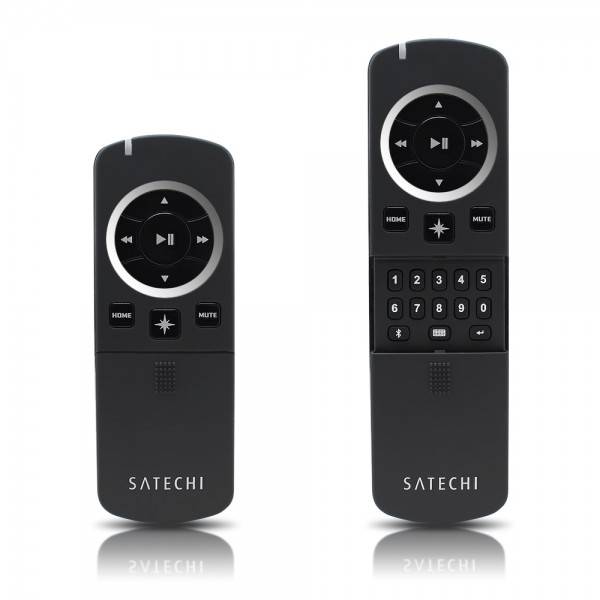
Satechi has announced their latest product offering, the Bluetooth Smart Pointer. And while the name may not draw all that much in terms of excitement, when you think of the pointer as a remote, there is a bit more to talk about. That said, the Smart Pointer is compatible with Android devices and brings a multimedia mode and a presentation mode.

Both of these come as they sound. The multimedia mode will allow you to control your Android running smartphone or tablet from a few feet away. In multimedia mode you will be able to do things such as increase/decrease the volume as well as play/pause tracks and skip forward or reverse. In addition, multimedia mode will also allow the user to trigger the camera, which may be good for taking group shots — that also have you in them. The camera can be triggered by hitting the enter (play/pause) button on the remote.
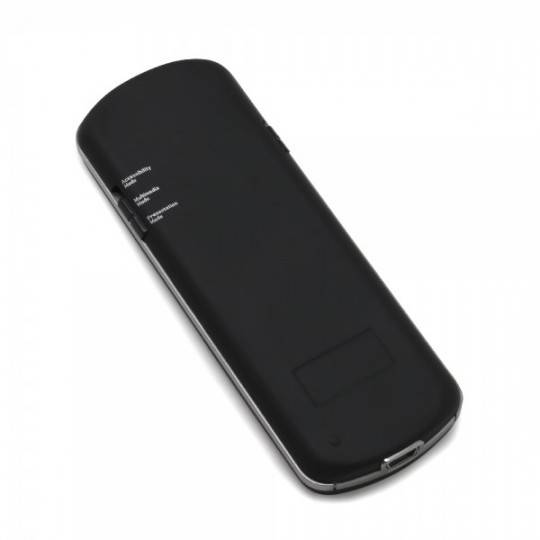
In terms of the presentation mode, this is said to work with a “variety of programs” and will allow you to advance through, or jump to specific slides in your presentation. The remote also has a built-in laser pointer while in presentation mode.

The Satechi Bluetooth Smart Pointer is currently available, priced at $44.99 and can be found with Amazon as well as direct with Satechi. The remote is available in two colors, black or grey. Finally, those with multiple operating systems may be happy to know that the remote is cross platform and will work with Windows as well as Mac computers and even iOS.

[via Satechi]

Share
  • Student wins science fair with 30-second phone battery charger
  • Hisense Sero 7 Pro with Tegra 3, Android 4.2 takes on Google's Nexus 7
  • Verizon HTC One reality returns as DROID DNA offer pops up

Tags: Bluetoothremote controlSatechi

  • Search

  • REVIEWS

    • AT&T LG Optimus G Pro ReviewAT&T LG Optimus G Pro Review
    • Iron Man 3 game Review: what you need to knowIron Man 3 game Review: what you need to know
    • Samsung GALAXY S 4 ReviewSamsung GALAXY S 4 Review
    • Samsung Galaxy Note 8.0 ReviewSamsung Galaxy Note 8.0 Review
    • Pebble review: Two weeks with a smartwatchPebble review: Two weeks with a smartwatch
  • HANDS-ON & QUICK LOOKS

    • Google+ Hangouts app goes live, we go hands-onGoogle+ Hangouts app goes live, we go hands-on
    • Flipboard magazines arrive with v2.0 update, we go hands-onFlipboard magazines arrive with v2.0 update, we go hands-on
    • Lenovo IdeaCentre Horizon hands-on with BlueStacks for Android gamingLenovo IdeaCentre Horizon hands-on with BlueStacks for Android gaming


  • T-Mobile G1 Accessories
  • RECENT COMMENTS

  • About
  • Contact
  • Terms of Use
  • Privacy Policy
  • Advertise

Copyright 2013 Android Community






