

• Home
  • Reviews
  • Featured
  • Archives
  • Videos
  • Devices
  • Tegra
  • Send Tips
  • Contact
  • AndroidCommunity on Twitter AndroidCommunity on Facebook AndroidCommunity on Google+ AndroidCommunity RSS Feed

Android Community

    • MUST READ

      STORIES

    • Chrome Beta updated with Translation bar and fullscreen tablet support

      May 23, 2013

    • HTC One ‘Senseless Edition’ could arrive this summer

      May 23, 2013

    • HTC One sales are strong as it passes 5 million mark

      May 23, 2013

  • Trending Topics
  • Jelly Bean
  • NVIDIA
  • Galaxy S 4
  • HTC One
  • Nexus 7
  • Sell Your Used Phone

Samsung Vibrant: How to Tether Without Root [Video]

1
  • By Evan Selleck
  • on 30 Jul, 2010

Samsung Vibrant: How to Tether Without Root [Video]

One of the best reasons to root your Android device, is to get your hands on some wired and wireless tethering options. It’s one of the greatest features of Android, and probably why all the carriers out there want to charge us for it (we’re lookin’ at you, Verizon). But, that’s not stopping Samsung from giving the option right from their own software, and some ingenious individuals out there from finding out how to actually use it.

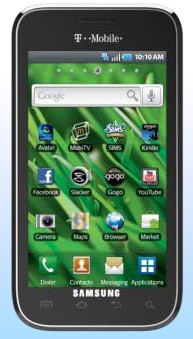
The Samsung Vibrant, utilizing Samsung’s very own Kies software, can be tethered. Yes, without root. All you need is a USB cable (hey, that comes in the box!) and a PC that’s running either Windows XP or Windows 7. (No Vista?) The software that we just mentioned will make it perfectly possible for the Vibrant to function as a tethered device, you just need to know how to access T-Mobile’s network. Instead of go through a lengthy text format, we’re including the video below. So, if you’re interested in tethering your Vibrant without an app or rooting, here you go:

[via HackaDay]

Share
  • Samsung Galaxy Note 3 with Android 4.3 spotted in benchmark results
  • Verizon HTC One "will be announced later"
  • Verizon HTC One tipped for CTIA event unveiling

Tags: hacksrootSamsungSamsung VibrantT-Mobile

  • Anonymous

    says “your device is not supported by this software” downloaded samsung kies from the UK site as recommended.

    phone is a samsung galaxy s (captivate) on AT&T
    software version 2.1

    please advise. I used this method with my previous laptop and phone and it worked now have a replacement phone and new laptop and no dice! :(

  • Search

  • REVIEWS

    • AT&T LG Optimus G Pro ReviewAT&T LG Optimus G Pro Review
    • Iron Man 3 game Review: what you need to knowIron Man 3 game Review: what you need to know
    • Samsung GALAXY S 4 ReviewSamsung GALAXY S 4 Review
    • Samsung Galaxy Note 8.0 ReviewSamsung Galaxy Note 8.0 Review
    • Pebble review: Two weeks with a smartwatchPebble review: Two weeks with a smartwatch
  • HANDS-ON & QUICK LOOKS

    • Coolpad Quattro II 4G and 8920 hands-onCoolpad Quattro II 4G and 8920 hands-on
    • Kyocera Hydro XTRM and EDGE hands-onKyocera Hydro XTRM and EDGE hands-on
    • Opera for Android exits beta, we go hands onOpera for Android exits beta, we go hands on


  • T-Mobile G1 Accessories
  • RECENT COMMENTS

  • About
  • Contact
  • Terms of Use
  • Privacy Policy
  • Advertise

Copyright 2013 Android Community






