

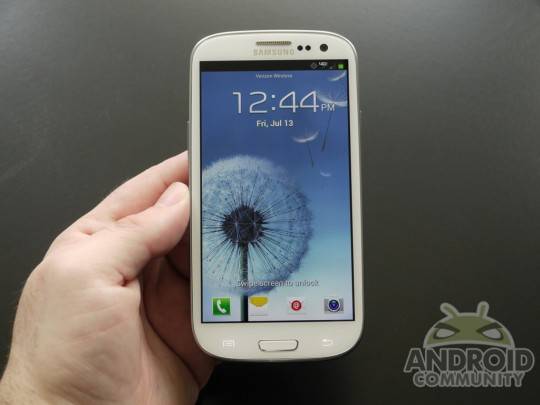
Local Search, as many of you may have already discovered, has come up missing from Galaxy S III devices. It isn’t hard to imagine why, considering that many draw comparisons between Local Search and Siri and Samsung has already been through enough legal tussles with Apple to last a lifetime. Sadly, it seems like Local Search isn’t coming back anytime soon, but there is a way to fix it, provided you aren’t against rooting your S III and doing a little work under the hood.
The fix comes from XDA Developers member eyecon82, who posted step-by-step instructions on how to hack your device and make it so Local Search functionality is restored. Take a look at the list below, straight from the original XDA developers thread:
NOTE: You need ROOT! and probably Root Explorer, so you can change permissions, I did it all through the phone, I’m sure you could also use adb but this seemed simpler. Also, I don’t think this can in any way break your phone, but just to be safe, make a backup, at least in Titanium, and don’t blame me if something goes wrong.
1. Download the apk at the beginning of this thread, place it on your SDcard (or phone) where you’ll find it easily.
2. Install root explorer (or equivalent, I used root explorer though)
3. Go to /system/app and mount as R/W
4. move GoogleQuickSearch.apk somewhere else, just so you have it if you need to restore it
5. Go to where you placed the full-featured apk, copy/move it to /system/app
6. Long-Click on GoogleQuickSearch.apk, select permissions, and set to rw-r–r– (ie, row 1: yes yes no, row 2: yes no no, row 3: yes no no)
7. Hit okay, mount R/O, and quit
8. Go to Settings > Application Manager > All
9. Select Google Search, and clear data/cache
10. Select Google Services Framework, clear data/cache
11. Reboot
12. ???
13. Profit!!!
The APK you’ll need for this process can be found by following the above link as well. Naturally, when you’re rooting your device you’re taking matters into your own hands, so we need to stress that if you follow eyecon82’s guide, you’re doing so at your own risk. Though eyecon82 reassures that he doesn’t think this will do any damage, he also states that he won’t be held responsible in the event that you do mess something up. In other words, if you manage to do any damage, you’re on your own.
Also worth pointing it out is the fact that this fix currently only works on one version of the device, but our friends at SlashGear think that it won’t be long before the fix is available for all versions of the Galaxy S III, and we’re tempted to agree with them. Keep an ear to Android Community for more information on this continuing Local Search fix!
[device id=2435]








If Google is successful at invalidating that patent (via USPTO or via Court of Appeals) will this feature come back?