

• Home
  • Reviews
  • Featured
  • Archives
  • Videos
  • Devices
  • Tegra
  • Send Tips
  • Contact
  • AndroidCommunity on Twitter AndroidCommunity on Facebook AndroidCommunity on Google+ AndroidCommunity RSS Feed

Android Community

    • MUST READ

      STORIES

    • NVIDIA Tegra 4i demos i500 LTE modem on Cat 4: 150Mbps of speed

      May 21, 2013

    • HP Slatebook x2 Tablet hands-on

      May 21, 2013

    • Otterbox Defender and Commuter GALAXY S 4 case hands-on

      May 20, 2013

  • Trending Topics
  • Jelly Bean
  • NVIDIA
  • Galaxy S 4
  • HTC One
  • Nexus 7
  • Sell Your Used Phone

Root Your Nexus S Easily With Superboot

1
  • By Dylan Bailey
  • on 21 Dec, 2010

Root Your Nexus S Easily With Superboot

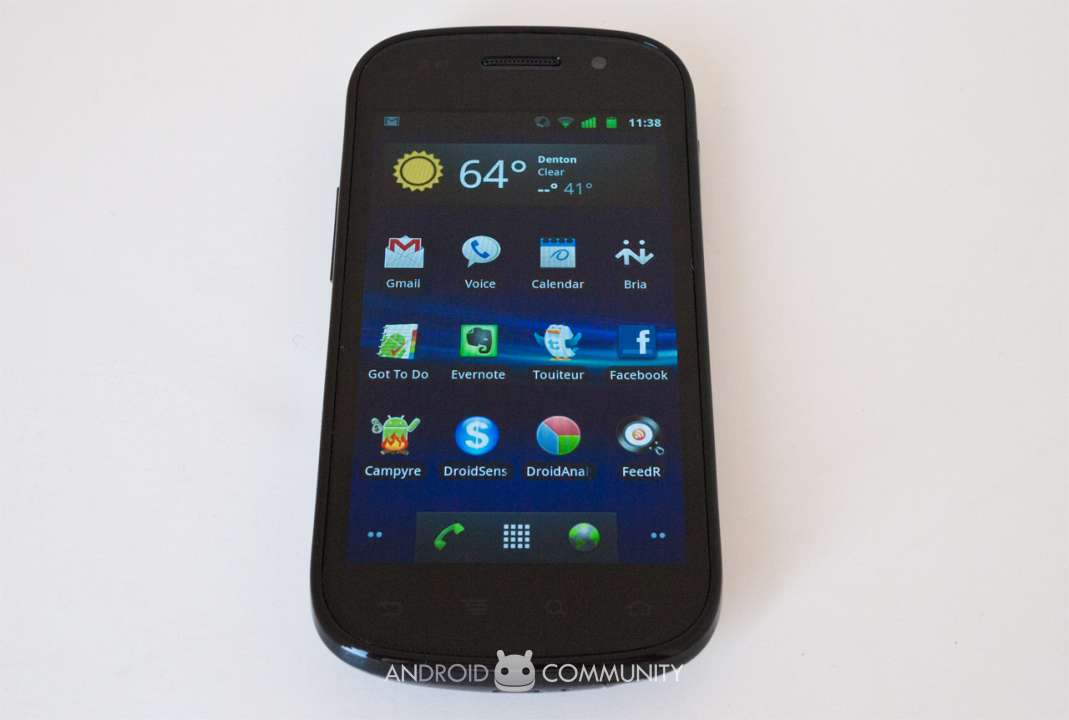
The Nexus S is now publicly available and what better way to celebrate Google’s own stance on “openness” than rooting the device. Usually a tedious process, rooting the Nexus S will not be the challenge you would expect, all thanks to Superboot.

Superboot is a boot.img that when flashed, will root your device the first time you boot (installing su and the superuser APK). No need to flash the system partition, no need to use ADB, no messing with the contents of your data partition, no overwriting the shipped ROM on your device, just flash the boot image using the instructions below and you’re done!

It’s really just that easy. Of course it comes with some risk (as do all software manipulating procedures) but this seems to be the best option that doesn’t put the user through an intensive rooting process.

Superboot is available for Windows, Mac and Linux, if you would like to download Superboot and root your device, follow the instructions at the original forum post, here.

[Via Modaco]

Share
  • Student wins science fair with 30-second phone battery charger
  • Hisense Sero 7 Pro with Tegra 3, Android 4.2 takes on Google's Nexus 7
  • Verizon HTC One reality returns as DROID DNA offer pops up

Tags: GoogleNexus SrootSamsung

  • Leo

    Would this 2010 thing, still work at a 4.1.1 Nexus S, or would that be suicide?

  • Search

  • REVIEWS

    • AT&T LG Optimus G Pro ReviewAT&T LG Optimus G Pro Review
    • Iron Man 3 game Review: what you need to knowIron Man 3 game Review: what you need to know
    • Samsung GALAXY S 4 ReviewSamsung GALAXY S 4 Review
    • Samsung Galaxy Note 8.0 ReviewSamsung Galaxy Note 8.0 Review
    • Pebble review: Two weeks with a smartwatchPebble review: Two weeks with a smartwatch
  • HANDS-ON & QUICK LOOKS

    • NVIDIA Tegra 4i demos i500 LTE modem on Cat 4: 150Mbps of speedNVIDIA Tegra 4i demos i500 LTE modem on Cat 4: 150Mbps of speed
    • HP Slatebook x2 Tablet hands-onHP Slatebook x2 Tablet hands-on
    • Google+ Hangouts app goes live, we go hands-onGoogle+ Hangouts app goes live, we go hands-on


  • T-Mobile G1 Accessories
  • RECENT COMMENTS

  • About
  • Contact
  • Terms of Use
  • Privacy Policy
  • Advertise

Copyright 2013 Android Community






