

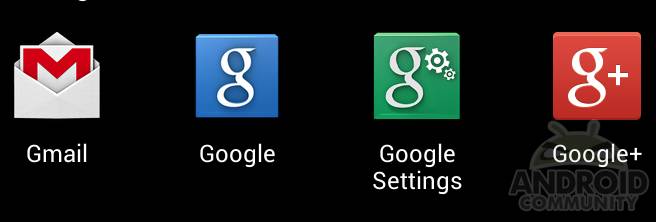
We’ve been receiving a few comments this afternoon that users are magically getting an unknown application installed on their devices. You’ll notice a new green “Google Settings” icon in your app tray, and a few comments were worried it was a virus or malware. Don’t worry folks, this is simply a part of the new Google Services 3.0 that was updated this afternoon.
So yes this is new, and no you can’t get rid of it, nor is it anything fishy or malware. Google updated their Google Services Framework APK on our devices silently in the background. Much in the same way the Play Store automatically updates itself when the time is right. Google’s added Google+ sign-in features, and a few other improvements around the board. Now when an app wants to sign in using, or access, your Facebook or Twitter the same option will soon be available for Google+.
Google’s essentially making everything access Google+ accounts and such. Now users will be able to link apps to the social network in a way not previously available. It’s all about app integration, but the new Google Settings icon and app is completely useless. There’s absolutely zero need for it.
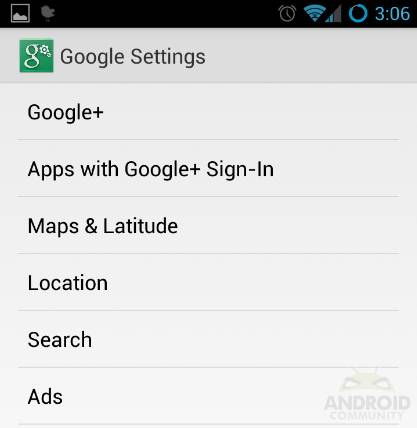
All the “Google Settings” button does for you is provide shortcuts to settings already on our devices. From here you can manage what is being used. The search option is just a shortcut to Google Search “settings” and the Maps option is just a shortcut to the Google Maps settings page. So while it’s nice and makes things easier – it is not necessary. Although you can manage sign-in privileges from it, but that’s blank since nothing uses the new feature quite yet.
So there you have it. There’s a new green Google Settings icon, it’s here to stay, and it’s nothing to worry about. Carry on.
[via AndroidPolice]








Thanks for the info here… And no thanks to google for installing garbage on my phone….
you can delete it .. by pressing the botton down left on your ssg 2 screen then Pressing edit then choosing the app to delete it. it will not appear in your taskmanager at downloads.